





Summary AI and MeetGeek are both platforms made to turn meetings into transcripts, summaries, and action items. However, they focus on different parts of the workflow.
Summary AI is built more around AI notes, transcription, and translation. You can use it for online meetings, interviews, lectures, calls, and conversations that happen in person. It also supports more than 120 languages and live translation.
MeetGeek focuses more on meeting automation for teams. It can send meeting information into CRM and project-management tools, analyze conversations, use different meeting templates, and build workflows around what was discussed.
In short, we found Summary AI more focused on capturing and understanding conversations, while MeetGeek gives teams more ways to automate what happens after the meeting. Read our comparison of Summary AI vs. MeetGeek to learn more.
Key Facts
- Summary AI focuses on notes, transcription, and translation in more than 120 languages.
- MeetGeek focuses more on integrations, meeting analytics, automation, and team workflows.
- Both support Zoom, Google Meet, and Microsoft Teams and provide transcripts, summaries, and action items.
- Summary AI costs $8.99 per week or $79.99 per year, while MeetGeek has paid plans starting at $9.99 per user per month when billed annually.
Summary AI vs MeetGeek at a glance
| Feature | Summary AI | MeetGeek |
|---|---|---|
| Best for | AI notes, transcription, translation, flexible recording | Automation, integrations, analytics, teams |
| Starting paid price | $8.99/week or $79.99/year | Pro from $9.99/user/month billed annually |
| Free plan | No free plan | Yes |
| Free transcription | Trial only | 3 hours/month |
| Zoom, Google Meet, Microsoft Teams | Yes | Yes |
| Bot-free recording | No | Yes |
| Live transcription | Yes | Yes |
| AI summaries and action items | Yes | Yes |
| AI chat | Yes | Yes |
| Search across meetings | Yes | Yes |
| Languages | 120+ | 100+ |
| Live translation | Yes | No |
| In-person recording | Yes | Yes |
| Mobile apps | iOS and Android | iOS and Android |
| Audio and video uploads | Yes | Yes |
| PDF and OCR tools | Yes | No |
| Meeting length | Any duration | Depends on plan |
| Integrations | Zoom, Meets, Teams | CRM, automation, and more |
| Meeting analytics | No | Yes |
| MCP and API | No | Yes |
As you can see, the biggest difference is what you can do after the notes are created. Summary AI stays focused on the conversation itself, while MeetGeek adds more integrations, analytics, and workflow automation.
What is Summary AI?
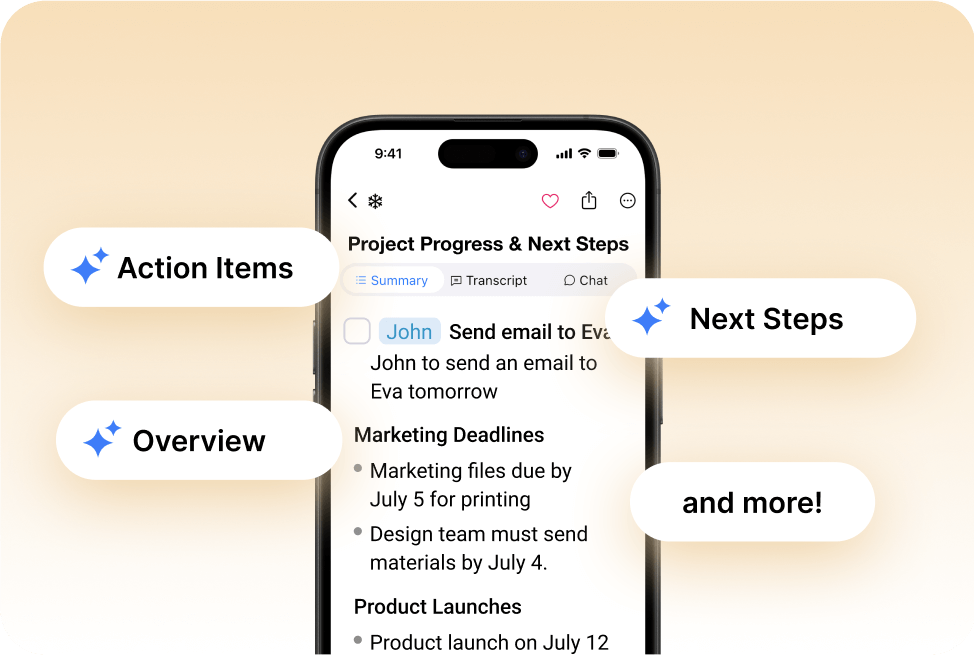
Summary AI is made to be used to create AI meeting notes. It uses AI transcription to turn conversations into notes, searchable transcripts, and translations. You can use it with Zoom, Google Meet, and Microsoft Teams or record manually through your phone or browser.
Afterward, it creates a transcript with speaker identification and timestamps and pulls out decisions, action items, and follow-ups. It also supports live translation in more than 120 languages and AI Chat for searching one or several conversations.
You can also upload audio and video, record conversations of any duration, and extract text from PDFs and scanned documents with OCR.
If you want a broader look at this type of software, see our guide to the best AI meeting assistants.
What is MeetGeek?
MeetGeek is an AI meeting assistant focused on notes, automation, integrations, and analytics.
Its Notetaker can join scheduled Zoom, Google Meet, and Microsoft Teams calls automatically. You can also record without a bot through its browser extension or desktop app, while the mobile app handles in-person conversations.
After the meeting, MeetGeek creates a transcript, summary, highlights, and action items. Higher plans add templates, team analytics, workflows, API access, and more integrations.
We found MeetGeek more focused on helping teams move meeting information into other systems and analyze conversations at scale. 
Summary AI vs MeetGeek: Main differences
Both tools create transcripts, summaries, and action items. The biggest differences are translation, recording, automation, analytics, and team workflows.
Notes, transcription, and language support
Both tools create searchable transcripts, summaries, and action items.
Summary AI supports more than 120 languages and includes live translation.
MeetGeek supports more than 100 languages and adds automatic language detection on paid plans.
So, Summary AI has stronger translation features. MeetGeek focuses more on meeting insights and connecting meeting information with other tools.
Recording, templates, and meeting limits
Summary AI can automatically join supported meetings or let you record manually. It does not list a limit on how long a recording can be.
MeetGeek can record with or without a bot using its Notetaker, browser extension, and desktop app.
It also offers meeting templates on paid plans, but the maximum length of each meeting depends on your plan.
We think Summary AI is simpler for long conversations. MeetGeek gives teams more control over how different types of meetings are handled.
Integrations and automated workflows
MeetGeek connects with CRM, project-management, and team tools like HubSpot, Salesforce, Slack, Notion, Asana, Jira, Monday.com, and ClickUp.
It also works with Zapier, Make, and n8n and provides API and MCP access.
Summary AI mainly connects with meeting and calendar platforms like Zoom, Meets, and Teams.
So, if you want meeting notes to automatically become CRM updates, project tasks, or other workflows, MeetGeek gives you many more options.

Analytics and team use
MeetGeek provides analytics for things like engagement, participation, talk time, sentiment, and speaking speed.
Its Business plan also adds team-level analytics, so managers can compare patterns across many meetings.
Summary AI provides speaker information and searchable transcripts but does not have the same analytics tools.
We think MeetGeek is more useful if managers need to review many sales, recruiting, or customer-success calls.
Files, search, and AI connectors
Both tools let you upload audio and video files.
Summary AI also supports PDFs and OCR for scanned documents. MeetGeek focuses more on meetings and recorded conversations.
MeetGeek’s paid plans can also use AI Chat with Tools to search meeting information together with information from connected apps.
Summary AI’s AI Chat focuses more on recordings and content inside Summary AI.
So, Summary AI works with more types of content, while MeetGeek gives teams more ways to connect meeting information with other apps, including API and MCP connectors.
Summary AI vs MeetGeek pricing
Summary AI has weekly and yearly subscriptions. MeetGeek has a free plan followed by Pro, Business, and Enterprise.
| Plan | Price |
|---|---|
| Summary AI Weekly | $8.99/week |
| Summary AI Yearly | $79.99/year |
| MeetGeek Basic | $0 |
| MeetGeek Pro | $15.99/user/month or $9.99/user/month billed annually |
| MeetGeek Business | $27/user/month or $17/user/month billed annually |
| MeetGeek Enterprise | Custom pricing |
MeetGeek Basic includes three hours of transcription each month, while Pro increases this to 20 hours. Business adds unlimited transcription together with more analytics, collaboration, and AI tools.
As we see it, MeetGeek has the stronger free option and more plan flexibility for teams, while Summary AI keeps the subscription simpler around transcription, translation, long recordings, and file tools.

Choosing Summary AI vs MeetGeek
The better fit depends on whether you mainly want help understanding conversations or want meeting information connected with a larger team workflow.
| If you… | Consider |
|---|---|
| Need straightforward AI notes and transcripts | Summary AI |
| Regularly work in different languages | Summary AI |
| Need live translation | Summary AI |
| Record long meetings, interviews, or lectures | Summary AI |
| Want PDF and OCR tools | Summary AI |
| Want a free meeting plan | MeetGeek |
| Need CRM and project integrations | MeetGeek |
| Want meeting templates | MeetGeek |
| Need team meeting analytics | MeetGeek |
| Want automated workflows | MeetGeek |
| Need API or MCP access | MeetGeek |
From our comparison, Summary AI makes more sense if you want a simple workflow for different types of conversations. You can use it for a video call, interview, lecture, or multilingual meeting and keep the same general process.
MeetGeek fits teams that want meeting information to move into other systems automatically. CRM connections, project integrations, templates, analytics, and workflows can be especially useful for sales, customer-success, recruiting, and management teams.
Summary AI vs MeetGeek: Which should you choose?
After comparing the two platforms, we think the decision comes down to whether you want a focused meeting tool or more of an automation platform.
As an AI Note Taker, Summary AI makes more sense. Try it if you mainly need notes, searchable transcripts, and translation. It supports more than 120 languages, live translation, recordings of any duration, uploads, and PDF tools.
MeetGeek makes more sense if meetings need to connect with the rest of your team’s work. Integrations, templates, analytics, AI workflows, API access, and team features give businesses more ways to use meeting information after the call.
As we see it, Summary AI focuses more on notes, transcription, translation, and flexible conversation capture. MeetGeek focuses more on meeting automation, integrations, analytics, and team workflows.

