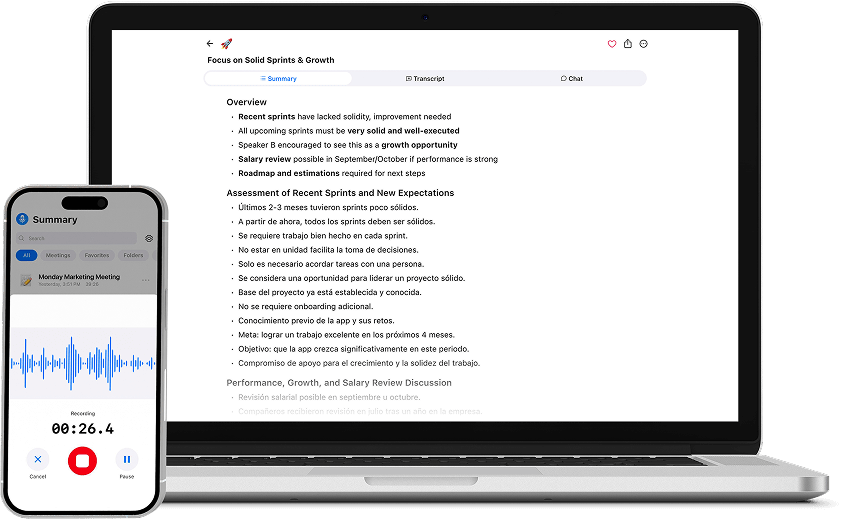
Trusted by 100,000+ users worldwide
Online Audio Converter
Convert audio files instantly with a powerful online audio file converter. Extract audio from video, convert MP4 to MP3, and create high-quality files in seconds.
Online Audio Converter
Convert audio files between any format, free
Drag & drop your file here or browse to upload
Accepted formats: MP3, WAV, M4A, OGG, FLAC, AAC, WMA
Output: MP3, WAV, FLAC, M4A, AAC
Uploading...
Done! Your file is ready to download.
+ Fast
Conversion
Speed
100K +
users
95% +
Quality
Output
100 +
supported
Online audio format converter in 3 simple steps
Follow three simple steps to convert MP3, WAV, M4A, FLAC and other audio files to the format you need, free and without installing any software.

1. Upload Your Audio file
Upload audio or video files like MP3, WAV, or AAC using our converter online audio tool.

2. Convert your audio
Choose your format and convert instantly with this online audio file converter.
3. Download your file
Download high-quality MP3 files or other formats ready to use.
Online audio file converter for all major formats
A powerful summarizer tool that converts audio files into text, transcripts, and AI-generated summaries with speed, accuracy, and security

High-quality conversion
Convert audio files with precision using advanced audio file converter software.
Fast processing
Convert files instantly with no waiting time.
Easy to use
Upload and convert audio in seconds – no technical skills needed.
Convert video to audio
Extract sound from video and convert MP4 to MP3 effortlessly.
Free audio converter
Use a free audio converter to process files quickly.
Secure
Your files are encrypted and automatically deleted.
Online audio file converter for all major formats
Generate subtitles for any video using a fast video subtitles generator.

MP3
Most popular format for music and MP3 files.

WAV
High-quality audio format for professional use.

AAC
Compressed format with great sound quality.

FLAC
Lossless format for high-fidelity audio.

OGG
Open-source format for efficient audio compression.

MP4
Extract audio from video and convert MP4 to MP3 easily.
Supports many more formats including M4A, AIFF, and more.
Audio online converter for fast and secure conversion
Convert files instantly using a reliable audio online converter designed for speed and quality.

Fast audio conversion
Convert audio files instantly with no delays.

Multiple format support
Use a flexible converter online audio tool for all formats.

Extract audio from video
Convert video to audio and create MP3 files easily.

Secure processing
Your files are private and automatically deleted.
Why turn audio into text
When you transcribe audio to text, everything becomes easier to search, reuse, and share

Students
See how people use audio conversion every day
- Convert video to audio for studying
- Extract audio from recordings
- Save notes as MP3 files

Content Creators
Turn video content into audio formats
- Convert MP4 to MP3
- Extract audio for editing
- Repurpose content easily

Professionals
Make audio content usable and shareable
- Convert meetings into audio files
- Extract sound from presentations
- Organize audio content efficiently
Trusted by users worldwide
Thousands rely on our online audio converter to convert files, extract audio, and create high-quality MP3 files.


“Fast and accurate audio conversion. Saves time.”
TD
Tomas Derby
Content Creator
“I use this voice to text app during meetings and it never misses anything. Way faster than writing everything down.”
SC
Sam Cingar
Marketer
“Simple tool for creating clean audio files.”
AS
Anahita Salwan
Educator
Explore more AI tools for every workflow
Explore tools to convert audio, extract sound, transcribe content, and streamline your workflow with AI.






Summary AI Learning Hub
Expert advice, tips & how to guides about transcriptions, summaries and productivity. Get the most out of our summaries.
Online Audio Coverter FAQs
Common questions about our Audio Converter
1. What audio formats can I convert with Summary AI?
Summary AI supports several popular audio formats, making it easy to convert recordings for different devices, media players, and applications. You can upload MP3, WAV, M4A, OGG, FLAC, AAC, and WMA files. Available output formats include MP3, WAV, FLAC, M4A, and AAC. Simply upload your audio file, select your preferred output format, and convert it online.
2. Is Summary AI's audio converter free?
Yes! Summary AI lets you convert up to 3 files for free every 24 hours per user. You don’t need to purchase a subscription to try the audio converter. Simply upload your file, choose an output format, and download your converted audio once processing is complete.
3. Is it safe to convert audio files online?
When choosing an online audio converter, it’s important to consider how your files are handled and protected. Summary AI lets you convert audio files directly through its online platform without installing additional software. For details about file handling, storage, and privacy, refer to Summary AI’s privacy policy.
4. What is the difference between lossy and lossless audio formats?
Lossy and lossless audio formats differ in how they compress and store sound. Lossy formats, such as MP3, AAC, and OGG, reduce file sizes by removing some audio data during compression. Lossless formats, such as WAV and FLAC, preserve the original audio information without sacrificing sound quality. Choose lossy formats when you need smaller files for sharing or streaming, and lossless formats when audio quality is important for editing, production, or archiving.
5. When should I convert MP3 to WAV?
Convert MP3 to WAV when you need an uncompressed audio format for editing, music production, or compatibility with professional audio applications. WAV files are commonly used in digital audio workstations (DAWs) and video editing software. However, converting an MP3 file to WAV does not restore audio details lost during the original MP3 compression. For the best results, use the original uncompressed recording whenever possible.
6. How do I convert WAV to MP3?
Converting WAV to MP3 with Summary AI takes just a few steps:
Open Summary AI’s online audio converter.
Upload your WAV file by dragging and dropping it or browsing your device.
Select MP3 as your preferred output format.
Start the conversion and wait for processing to finish.
Download your converted MP3 file.
MP3 compression reduces file size while maintaining good audio quality for everyday listening, sharing, and playback across different devices.
7. How do I convert M4A to MP3?
You can convert M4A files to MP3 using Summary AI without installing additional software. Upload your M4A file, select MP3 as the output format, and start the conversion. Once processing is complete, download your MP3 file. This is useful when you need an audio format with broader compatibility across smartphones, computers, media players, and other devices.
8. Can converting an audio file improve its sound quality?
No. Converting an audio file to another format does not automatically improve its sound quality. For example, converting a compressed 128 kbps MP3 file to WAV will not restore audio information already lost during compression. Similarly, converting between lossy formats multiple times can introduce additional quality loss. To preserve the best possible sound quality, always convert from the original, highest-quality recording.
9. Which audio format offers the best sound quality?
WAV and FLAC both preserve the original audio quality because they use lossless compression or storage. WAV files are typically uncompressed, while FLAC compresses audio without losing any original data, making it more space-efficient for archiving. MP3, AAC, and OGG use lossy compression to create smaller files that are easier to share, stream, and store. The best format depends on whether you prioritize sound quality, file size, or compatibility.
10. Is there a file size limit for audio conversion?
Yes. Summary AI supports audio uploads up to 500 MB per file, giving you room to convert larger recordings without splitting them into smaller files. You can convert up to 3 files for free every 24 hours per user. Make sure your audio file is in one of the supported input formats before uploading it.
 More Tools
Fast audio conversion, zero hassle
Use a fast and reliable online audio converter to convert audio, extract sound from video, and download
high-quality files instantly.
No credit card required · Instant results