

Taking notes sounds easy until you’re in a meeting or lecture and someone starts talking faster than you can type.
You try to listen, write everything down, and actually understand what’s happening. Then you look at your notes afterward and realize you’ve missed half the important stuff.
That’s exactly the problem AI note-taking apps are supposed to solve. Two tools worth looking at are Summary AI vs Turbo AI, which used to be TurboLearn AI.
At first, they seem pretty similar. Both use AI to turn recordings and other content into notes. Both can save you from writing everything yourself. And both have AI chat features that help you find information later. But once you look at how they’re designed to work, the difference becomes pretty clear.
Summary AI vs Turbo AI: Quick Comparison
Summary AI is built more for meetings, conversations, transcription, and translation. Turbo AI is built more for students who want to turn their notes into study materials.
But which one should you use?
I took a closer look at what both platforms offer, where each one stands out, and what might make you choose one over the other. Read on for the breakdown. If you don’t want to read the whole comparison, here’s what you need to know.
| Feature | Summary AI | Turbo AI |
|---|---|---|
| Best for | Meetings, conversations, and transcription | Students and studying |
| Free option | Trial version | Free plan |
| Starting paid price | $8.99/week or $79.99/year | About $20/month or $120/year |
| AI note-taking | Yes | Yes |
| Meeting summaries | Yes | Yes |
| Automatically joins online meetings | Yes | No |
| Live transcription | Yes | Yes |
| Live translation | Yes | No |
| Languages | 120+ | Unknown |
| Audio and video uploads | Yes | Yes |
| PDF support | Yes | Yes |
| AI Chat | Yes | Yes |
| Editable notes | Yes | Yes |
| Flashcards and quizzes | No | Yes |
| Study podcasts | No | Yes |
| Web and mobile apps | Yes | Yes |
My take: If I wanted an AI assistant to handle my meetings and conversations, Summary AI would be my first choice based on its features.
But if I were a student preparing for exams, I’d lean toward Turbo AI. Here’s why.
1. Summary AI: Best for Meetings, Transcription, and Everyday Note-Taking
Best for: Professionals, remote workers, students, consultants, and anyone who wants to turn conversations into useful notes.
What stands out to me about Summary AI is that it isn’t only made for turning your notes into a study session.
Sometimes you just want an app to listen to a meeting, write down what happened, and tell you what you need to do next.
That’s where Summary AI makes sense over Turbo AI.
It’s designed to help with meetings, interviews, lectures, phone calls, and recordings. Instead of spending your time typing, you can use it to create transcripts and summaries.
And there’s one feature that gives it a big advantage for people who attend lots of meetings.
It can actually join meetings for you
This is probably the biggest reason I’d choose Summary AI over Turbo AI for work.
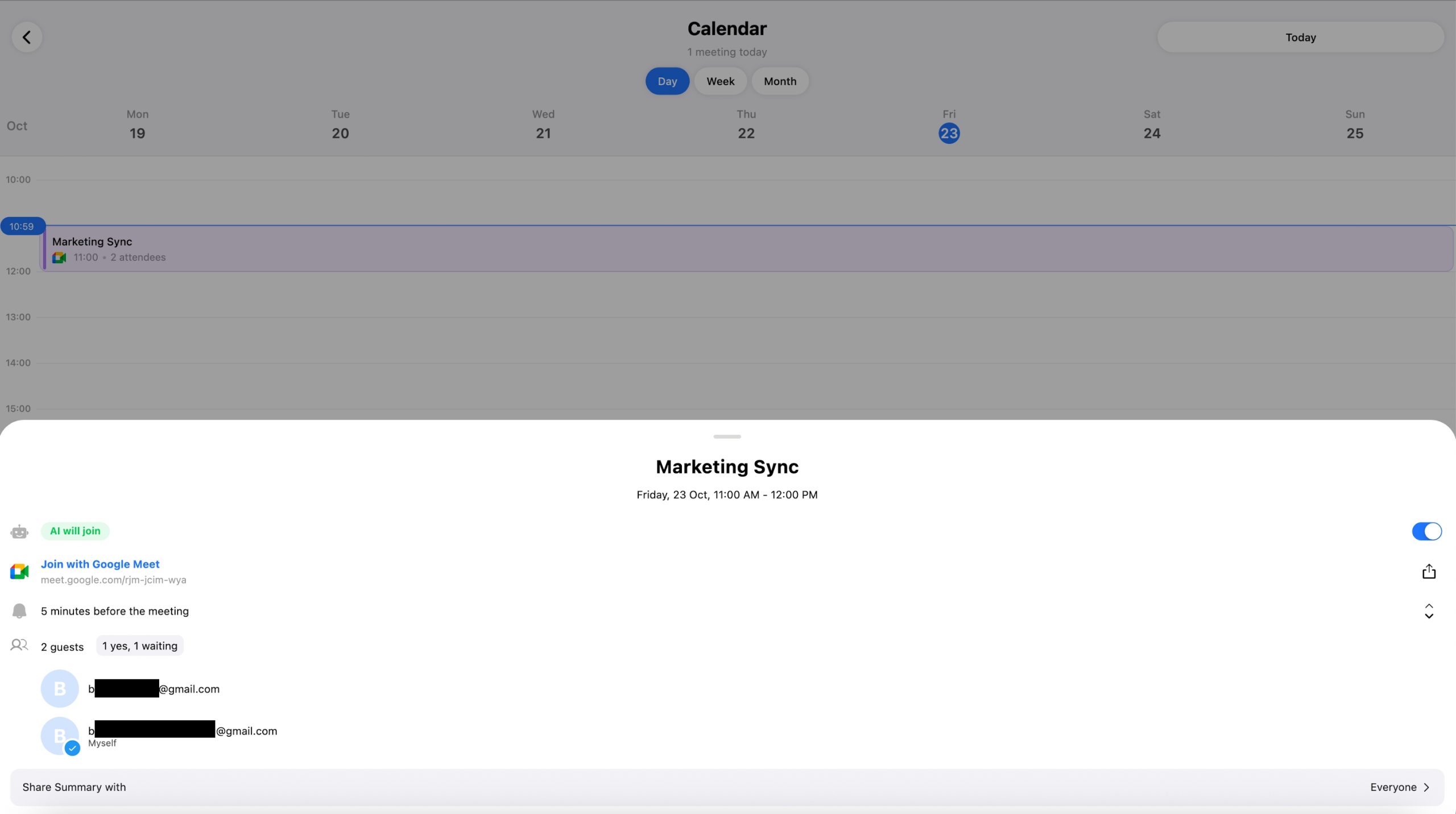
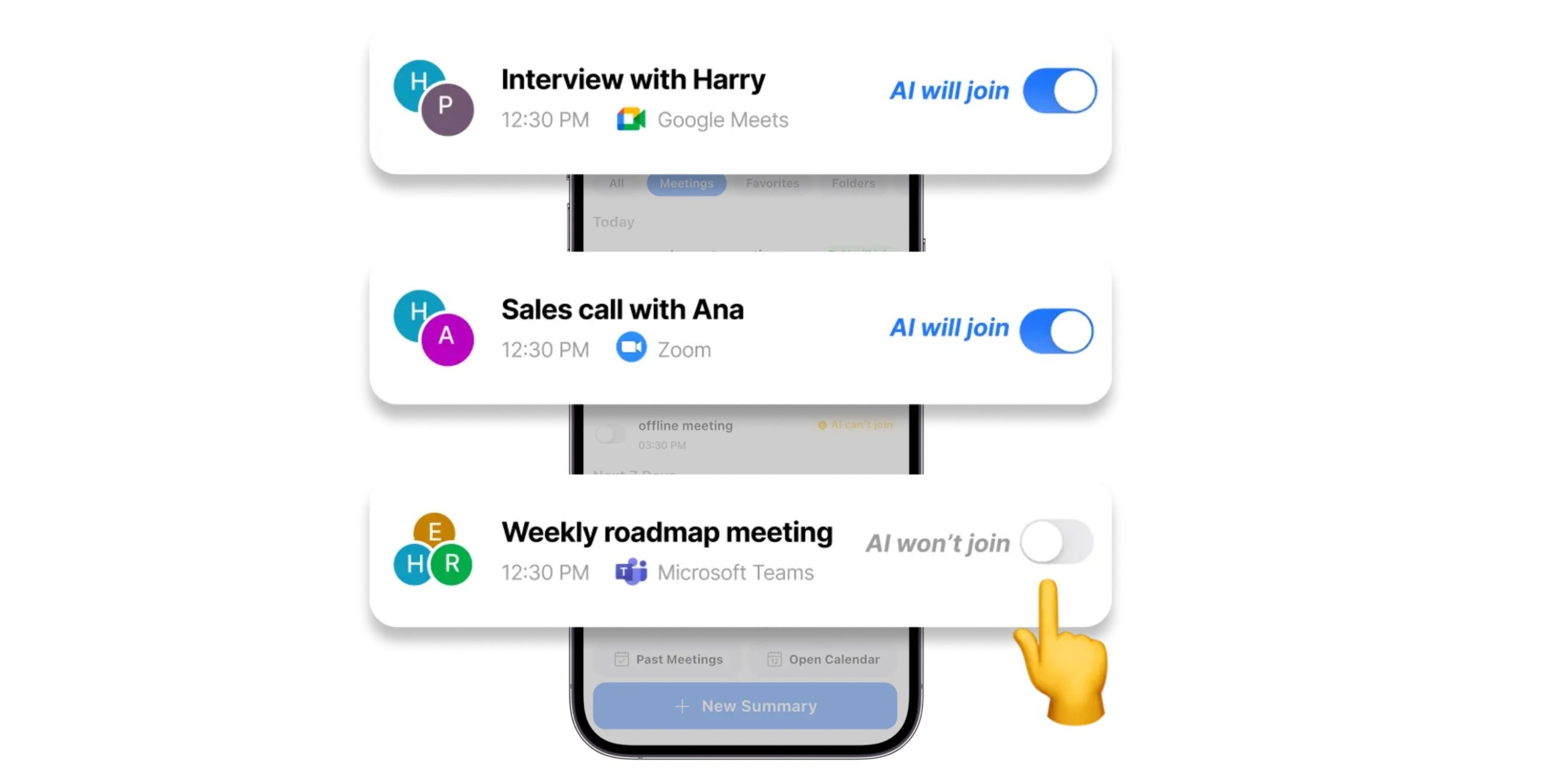
Summary AI has a Meeting Assistant that can automatically join supported Zoom, Google Meet, and Microsoft Teams meetings.
Think about how useful that could be.
Let’s say you have three meetings in one afternoon. During the first one, you’re discussing a new project. During the second, your team is making decisions about deadlines. And during the third, a client gives you a long list of changes. Trying to remember everything would be exhausting.
With Summary AI, the Meeting Assistant can capture the conversations and turn them into notes. You can then review important decisions, action items, and follow-ups without going through the entire conversation again.
Turbo AI can also record and summarize meetings, but you need to start the recording workflow yourself. It doesn’t mention the same automatic meeting-joining feature. If you’re curious about how these assistants work, Summary AI has a helpful guide explaining what an AI note taker is and how it turns conversations into organized notes.
Winner for meetings: Summary AI.
The 120+ language support is a big deal
This is another feature that caught my attention.
Summary AI supports transcription and translation across 120+ languages, including live translation. Imagine you’re attending a meeting with people speaking different languages. Instead of trying to translate everything manually or waiting until the meeting ends, Summary AI can help you follow the conversation.
If you regularly deal with conversations in different languages, Summary AI is the more obvious choice in this regard.
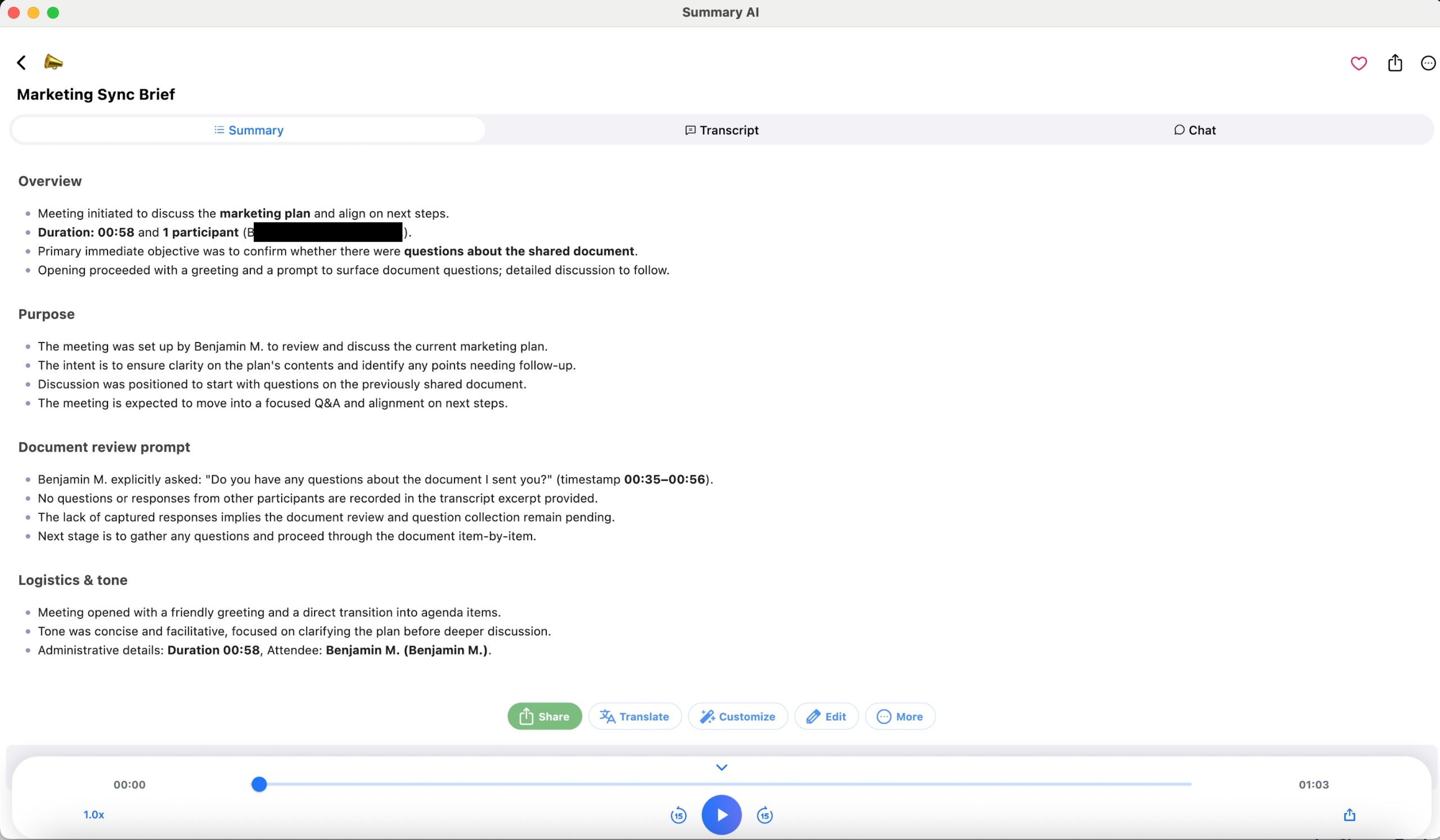
AI Chat makes long meetings easier to review
One of my favorite ideas behind AI note-taking tools is being able to ask questions about your notes. Because even when an app creates a great summary, sometimes you still need one specific detail.
Let’s say you have a 60-minute meeting and want to know:
- What deadline did we agree on?
- Who is responsible for the next task?
- What did the client say about the budget?
Instead of searching through the whole transcript, you can ask Summary AI’s AI Chat. It uses the recorded content to help you find the information you need. I think this is much more useful than simply getting a wall of transcribed text.
The good news for students is that Turbo AI also has AI Chat, but its version is more focused on helping you understand lectures, documents, and study material.
It’s not limited to meetings
Another thing I like about Summary AI’s feature set is that meetings aren’t the only thing it supports. You can also use it with uploaded audio, videos, and PDFs.
For example, you could use it to:
- Turn an interview recording into text.
- Summarize a long podcast.
- Get notes from an online lecture.
- Extract text from a scanned PDF.
- Find important information in a video.
That makes it useful beyond a typical office meeting. It’s also available across web and mobile workflows, including iPhone, Android, and supported Apple devices.
If you’re always switching between your phone and computer, that’s helpful. And if you’re still looking at different apps, Summary AI’s comparison of the best AI note-taking apps is worth reading before making a decision.
What I like about Summary AI
- Automatic meeting attendance: Its Meeting Assistant can join supported Zoom, Google Meet, and Teams calls.
- Live translation: Support for 120+ languages is a major plus.
- Useful meeting summaries: It can pull out decisions, key points, and action items.
- AI Chat: You can ask questions instead of rereading long transcripts.
- Multiple content types: It works with recordings, videos, and PDFs.
- More than a student app: It’s useful for work, interviews, meetings, and everyday conversations.
What I don’t like
- No flashcards or quizzes: If you’re studying for an exam, Turbo AI has more learning tools.
- Short free trial: The limited trial period might not be enough to figure out whether you want a subscription.
- Lots of features: If you only need very basic lecture notes, you might not use everything it offers.
What do other people say about Summary AI?
I also think it’s worth looking beyond a company’s own website when comparing AI tools. Summary AI has a profile with reviews on G2, where it is listed as a software provider focused on AI summarization and content analysis. However, going on reviews is not enough, I’d still want to try the product with real meetings and recordings.
My verdict on Summary AI
Summary AI is the tool I’d look at first if my day involved meetings, calls, interviews, or conversations I couldn’t afford to forget. I especially like the combination of automatic meeting attendance, live transcription, translation, and AI Chat. Check out Summary AI pricing.
2. Turbo AI: Best for Students Who Want More Than Notes
Best for: College students, exam preparation, lectures, and people who learn better with flashcards and quizzes.
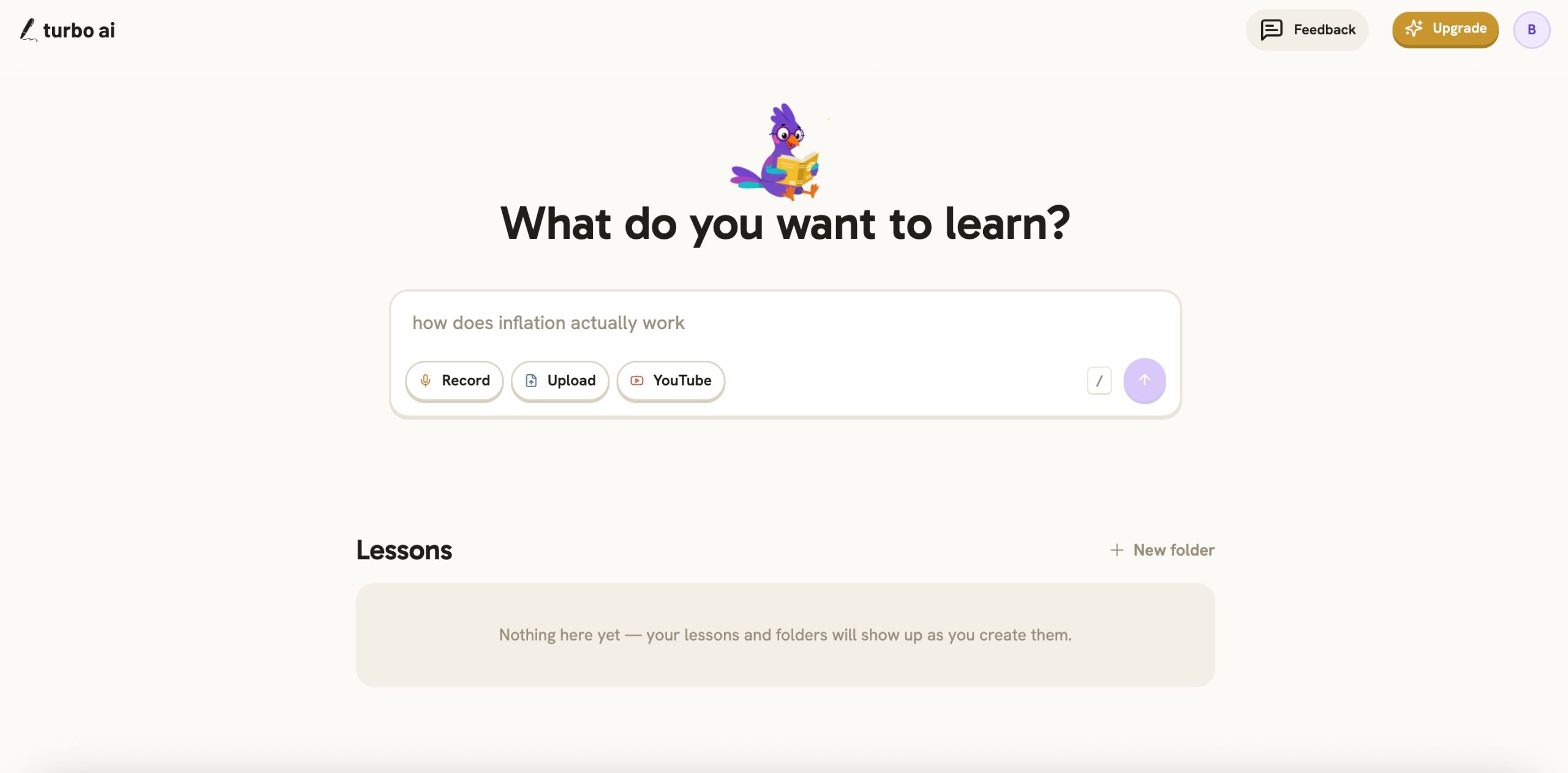
I think the easiest way to understand Turbo is to stop thinking of it as just a note-taking app. It’s really more of an AI study assistant.
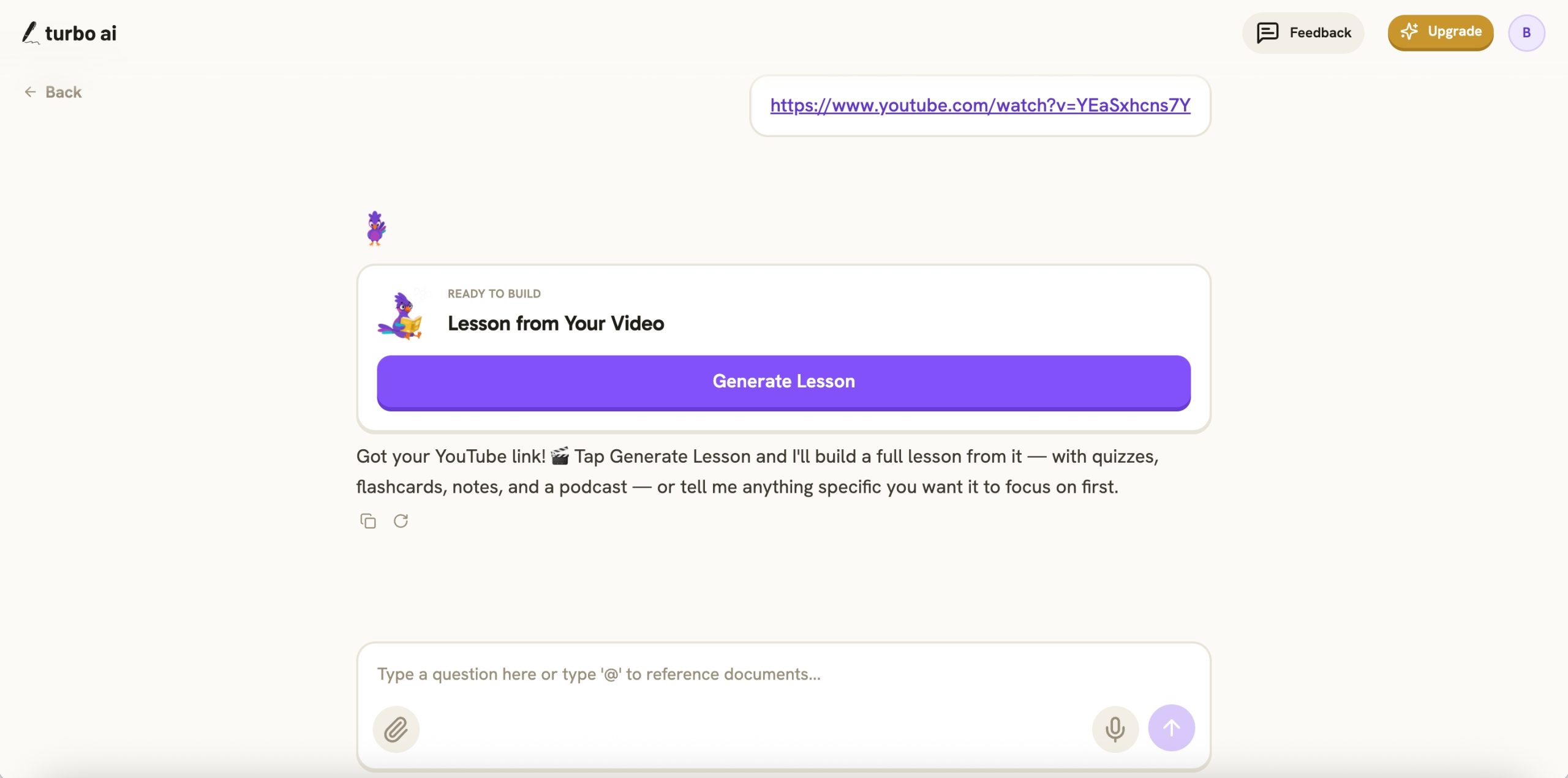
You give it something you want to learn, like a lecture recording, textbook, PDF, presentation, or YouTube video. Turbo turns that material into organized notes. But it doesn’t stop there. You can also turn the same information into flashcards, quizzes, and podcast-style audio. That’s the set of features that make Turbo interesting.
It turns lectures into study material
Let’s say you’re a college student sitting through a long biology lecture. Your professor is talking about cell division, explaining different stages, and showing diagrams.
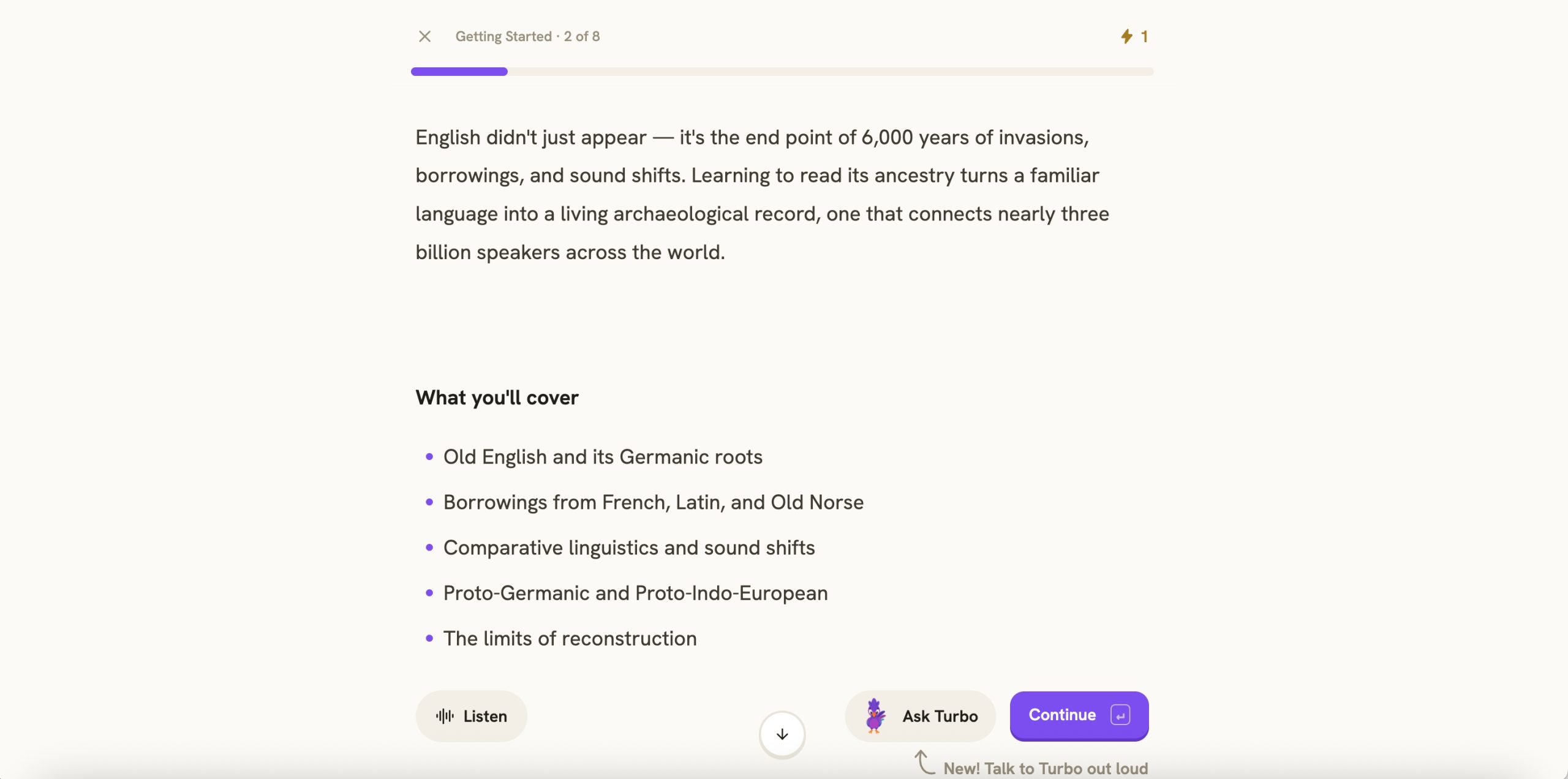
Instead of trying to type every word, you can use Turbo to capture the lecture and create organized notes. You can also upload existing course material. Turbo supports things like PDFs, presentations, audio, videos, and YouTube links. For students who constantly fall behind on note-taking, I can see why this would be appealing.
Flashcards and quizzes are where Turbo stands out
This is probably Turbo AI’s biggest advantage over Summary AI.
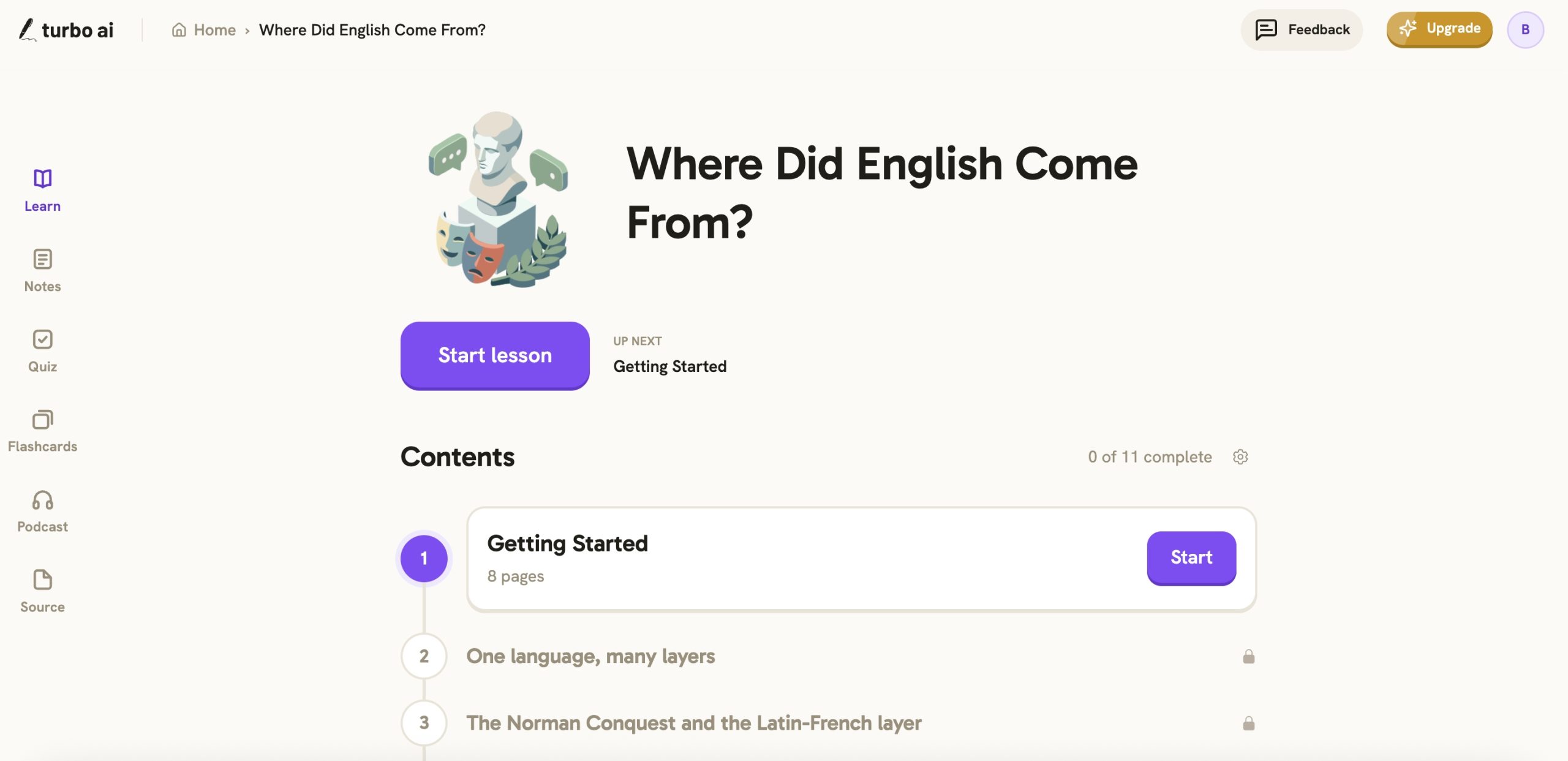
Let’s say you finish a lecture and have a nice set of notes. That’s great. But if you have an exam tomorrow, reading those notes over and over might not be enough. Turbo lets you turn the material into flashcards and quizzes, so instead of just reading about a topic, you can test what you remember.
If you’re a student looking for more ways to stay organized, there’s also a useful guide to student productivity tools covering apps for studying, planning assignments, and managing your workload.
Winner for studying: Turbo AI.
I like that you can edit the notes
Here’s something else Turbo does well on paper. Its AI-generated notes aren’t just fixed summaries.
Turbo includes a document-style editor, so you can change the notes, add your own information, and improve sections with AI assistance. It also supports sharing and collaborative editing. That’s nice because AI doesn’t always organize information the way you want.
You can even turn your notes into podcasts
This is one of Turbo’s more unusual features. You can convert study material into podcast-style audio.
Of course, not everyone needs all of this. If your goal is simply to record a client meeting and get a list of action items, flashcards and study podcasts probably aren’t going to help much. But for students, they’re useful extras.
What I like about Turbo AI
- Built for studying: Turns lectures and documents into useful learning material.
- Flashcards and quizzes: Great for reviewing information before exams.
- Editable notes: You can organize and change the AI-generated notes.
- YouTube support: Helpful if you learn from educational videos.
- Study podcasts: Lets you review material by listening.
- Free plan: You can get started without immediately paying for a subscription.
What I don’t like
- No automatic meeting attendance: You don’t get the same meeting assistant workflow as Summary AI.
- No equivalent live translation: Summary AI has a clearer offering for multilingual conversations.
- Focused on students: Some features aren’t particularly useful for everyday professional meetings.
- Pricing and limits need checking: Turbo doesn’t present one simple, universal allowance table for every plan on its public pages.
What do users say about Turbo AI?
Turbo AI has more publicly available customer feedback on Trustpilot, including reviews under its previous TurboLearn name. On Trustpilot’s Turbo AI review page, users share their experiences with the platform, including its features, subscriptions, and customer support.
And the feedback is mixed. Still, I think they’re worth reading before paying for a long-term subscription.
My verdict on Turbo AI
If I were back in college and had several exams coming up, Turbo would be a very tempting choice. The ability to turn one lecture into notes, flashcards, quizzes, and audio lessons is genuinely useful.
But for someone who primarily needs help remembering conversations, I think Summary AI offers a more suitable set of features.
3. Summary AI vs Turbo AI: Which Is Better for Meetings?
My pick: Summary AI.
This one is pretty straightforward.
Both platforms can work with meeting audio, but Summary AI is designed more directly around the meeting workflow. The biggest difference is automatic attendance.
With Summary AI, the Meeting Assistant can join supported online calls and create notes. You can also get a transcript, summary, important decisions, and follow-up tasks. And if you can’t remember what someone said, you can use AI Chat to search the conversation.
Turbo can summarize a meeting when you start its recording workflow, but automatic meeting attendance isn’t one of its advertised features. For a student occasionally recording a group discussion, that might not matter. For someone who sits through back-to-back Zoom calls every day, it could matter a lot. That’s why I’d choose Summary AI for meetings.
If your calendar is constantly full, it’s also worth comparing the best AI transcription tools to see which apps are best for turning meetings and recordings into searchable text.
4. Which One Is Better for Students?
My pick: Turbo AI, with one exception.
If your main goal is studying and passing exams, Turbo has the stronger feature set. It can take your lecture notes and turn them into flashcards, quizzes, and other materials that help you review what you’ve learned. And it also gives you more control over editing your notes.
But there’s one situation where I’d consider Summary AI instead.
If I were studying in another language, attending international lectures, or mainly needed live transcription and translation, Summary AI would be the better fit. Its support for 120+ languages gives it an advantage for those situations.
So my recommendation is simple:
- Choose Turbo if you need help studying the material.
- Choose Summary AI if you need help capturing, understanding, or translating what someone is saying.
5. What About PDFs, YouTube Videos, and Recordings?
My pick: It depends on what you want to do with the content.
Let’s say you have a long PDF. With Summary AI, you can extract text from the document and use its tools to pull out useful information. This can be handy for reports, scanned documents, research material, and other files you don’t want to read line by line. Turbo takes a more study-focused approach.
If you regularly learn from YouTube, Summary AI’s guide on how to transcribe a YouTube video explains how to turn spoken content into text you can search and reuse.
And if you work with recorded tutorials, webinars, or other video files, learning how to transcribe video to text can save you from replaying the same content over and over.
So here’s how I’d decide:
- If I needed to understand what a video or document says, I’d consider Summary AI.
- If I needed to memorize the information for an exam, I’d consider Turbo.
- Neither platform is automatically better at everything.
- It’s about what you want to do with the information afterward.
6. Summary AI vs Turbo AI Pricing: Which Is Cheaper?
Pricing is another important difference. And this is where Turbo has an advantage for people who don’t want to pay right away.
Summary AI pricing
Summary AI offers a short trial, with the following advertised subscription prices:
- Weekly: $8.99
- Yearly: $79.99
Its paid offering includes features such as audio transcription, meeting summaries, language support, uploads, and AI tools. The annual plan is the more affordable option if you intend to use it regularly. See Summary AI pricing
Turbo AI pricing
Turbo has a free plan that includes access to note generation, flashcards, and quizzes.
For paid access, Turbo’s published pricing references include:
- Monthly: About $20
- Yearly: About $120
Its free plan is a good starting point if you want to explore the study features before subscribing. Exact subscription offers may vary by platform. Check the checkout screen before paying.
Which is better value?
If your only goal is to get started without spending money, Turbo wins because it offers a continuing free tier. But if you use an AI note taker for work several times a week, Summary AI’s annual price looks more attractive.
A cheaper study app isn’t necessarily a better deal if what you really need is an automatic meeting assistant, and a meeting assistant might not be worth paying for if all you want is a set of flashcards before an exam.
So, Which AI Note Taker Would I Choose?
After comparing what both platforms offer, I don’t think there’s one winner for everybody. But I do think the choice gets pretty easy once you know what you need.
I’d choose Summary AI for work and everyday conversations
If I spent my day jumping between Zoom calls, interviews, team meetings, and recorded conversations, I’d choose Summary AI.
Here’s what makes it stand out to me:
- It can automatically join supported online meetings.
- It creates transcripts, summaries, and action items.
- It supports live translation across 120+ languages.
- It lets you ask questions about your recordings.
- It handles audio, video, and PDF content.
I’d choose Turbo AI for studying and exam preparation
If my main goal were to get through college lectures and prepare for exams, I’d pick Turbo AI.
Its flashcards, quizzes, editable notes, and study podcasts give students more ways to work with the information. And the free plan makes it easier to explore before paying. But I wouldn’t choose it over Summary AI just to record everyday business meetings. Most of its extra features are designed for learning, not managing conversations.
Final Verdict: Summary AI or Turbo AI?
Here’s where I land.
Summary AI is my pick for meetings, transcription, live translation, and everyday note-taking. Turbo AI is my pick for studying and exam preparation.
I like that Summary AI focuses on a problem almost everyone has: sitting through a long conversation and trying to remember what mattered.
The automatic meeting assistant, AI summaries, action items, and multilingual support make it a strong option for professionals, remote workers, and people who deal with lots of spoken information. Turbo, on the other hand, makes more sense if your notes are just the first step. If you want to turn those notes into flashcards, quizzes, podcasts, and study guides, it offers features Summary AI doesn’t. So the question isn’t really which AI app has the longest feature list. It’s what you need the app to do.
Want to remember what happened in a meeting? Go with Summary AI.
Want to study for an exam? Go with Turbo AI.
And if you’re still not sure, the easiest way to decide is to start with the kind of content you use most often. For meetings, calls, interviews, and everyday recordings, I’d start with Summary AI. Try Summary AI!