



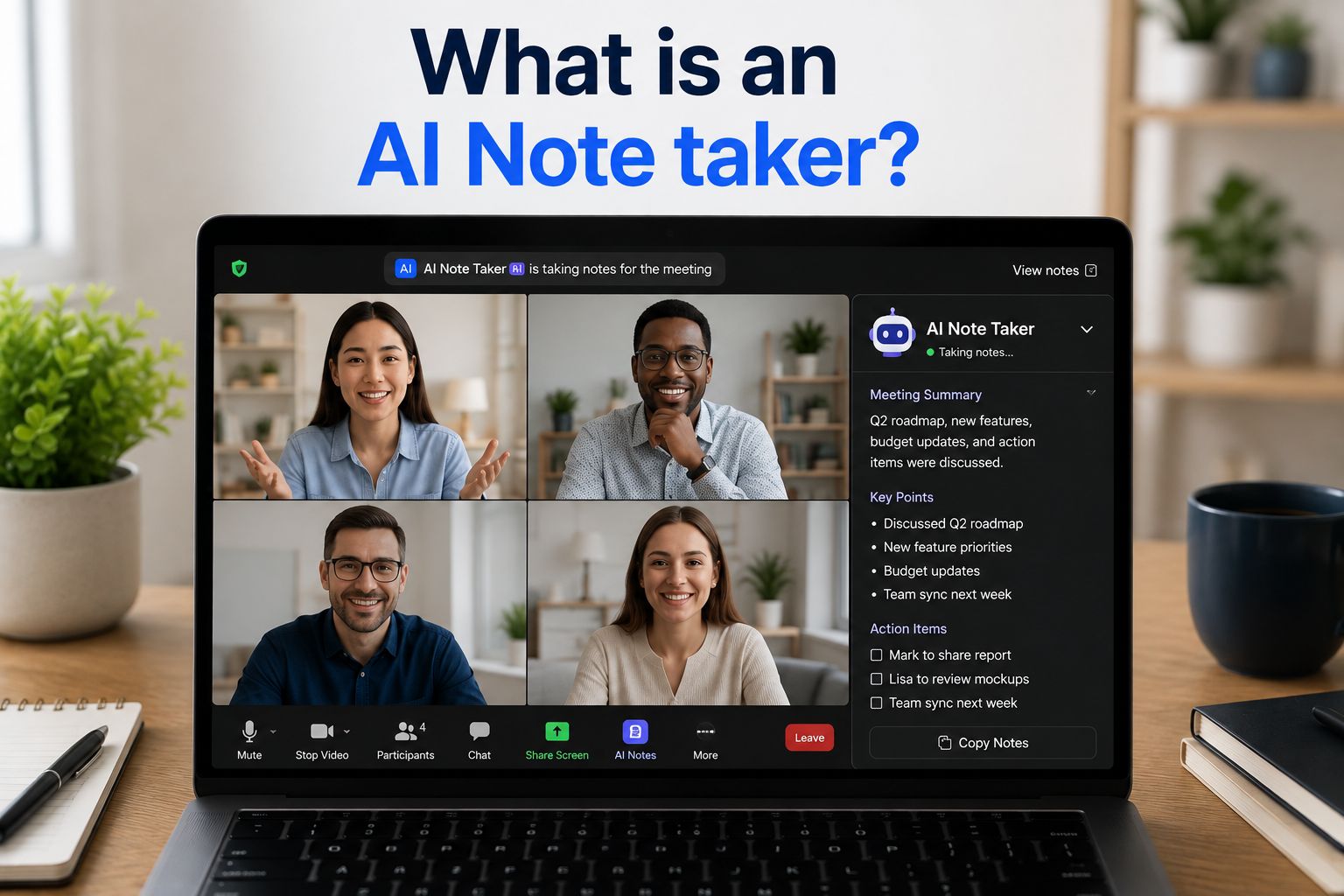


Meetings and calls are full of useful details, but it is easy to miss them while you listen, speak, and take notes at the same time. You might forget an important decision, lose track of a task, or struggle to read your notes later. An AI note taker can help. It listens to the conversation, turns speech into text, and picks out the main points. This lets you focus on the discussion instead of trying to write down every word.
AI note takers are useful for teams, students, freelancers, and anyone who needs to remember what was said. They can save time and make follow-up work easier.
So, what is an AI note taker, how does it work, and should you use one? Let’s look at the basics so you can choose the right tool and get more from your notes.
What is an AI note taker?
An AI note taker is a tool that uses artificial intelligence to record, transcribe, organize, and summarize conversations. You can use it for meetings, interviews, lectures, calls, and uploaded audio or video files.
In simple terms, it listens to what people say and turns the conversation into clear notes. It may also highlight key points, decisions, questions, and action items.
This gives you a record to check later, so you can focus on the conversation instead of trying to write down every detail. An AI note taker does not replace careful listening, but it can make it easier to remember what was said and what needs to happen next.
Types of AI note takers
Different AI note takers are made for different kinds of work. Some are built for live meetings, while others are better for personal notes, recordings, or written content.

Knowing the difference can help you pick a tool that fits the way you work.
- AI meeting note takers are made for online calls and meetings. They can join a meeting, record the audio, create a transcript, and send out a summary when the call ends. Teams often use them for project meetings, sales calls, interviews, and client check-ins.
- AI note-taking apps are often used for personal notes. You can type notes into them, speak into your phone, paste in text, or upload a recording. The AI can then help clean up the writing, make a summary, or turn rough notes into a clearer outline.
- AI transcription tools focus mainly on turning speech into text. They are useful when you have a recording of an interview, webinar, podcast, or lecture that you need to read through later.
- AI workspace tools are built into platforms people already use for work. For example, a tool may help summarize a shared document, pull out tasks from a team chat, or help people find decisions from old meetings.
Some tools are simple and only create a transcript. Others do much more, such as helping you search past calls or write follow-up emails. The next section explains what happens behind the scenes when an AI note taker creates notes.
How AI note takers work
AI note takers work by first turning spoken language into written text using speech-to-text technology. Then, they use AI to analyze that text and work out what parts matter most before generating a summary.
For a live meeting, the tool may join the call as a meeting bot or run through an app or browser extension. It captures the audio from the conversation and starts turning speech into text.

After that, the tool looks at the transcript. It may try to work out who is speaking, group the conversation into topics, and find useful details such as tasks, deadlines, decisions, and questions.
A simple way to think about the process is:
- The tool records or listens to the conversation
- It turns spoken words into written text
- It works out the main topics and key details
- It creates a summary and list of next steps
- You check the notes and share them if needed
AI note takers can work quickly, but they do not always get everything right. They may struggle when people talk over each other, have a strong accent, use unclear audio, or mention names and terms the tool does not know.
That is why it is important to treat AI notes as a helpful first draft. Before you send them to others or make a decision based on them, take a few minutes to check that the important details are correct.
AI note taker features
An AI note taker can do more than create a transcript. The features you get will depend on the tool you use.
Common features include:
- Live transcription during a meeting
- Meeting summaries
- Action items and next steps
- Speaker labels
- Timestamps that show when something was said
- Search across old notes and transcripts
- Shared notes for teams
- Recording storage
- Integration with calendars and meeting platforms
- Follow-up email drafts
- Note templates for different kinds of meetings
For example, after a project meeting, an AI note taker may give you a short overview of the discussion, a list of decisions, and a list of tasks with the names of the people responsible for them. It may also make a summary of the discussion with all of the key points highlighted.
This can make it easier for everyone to leave the meeting knowing what they need to do next.
Common uses of AI note takers
AI note takers can be useful in many situations where people need to remember what was said. They are especially helpful when a conversation is long, detailed, or includes several people.
Common uses include:
- Taking notes during team meetings
- Recording client calls
- Writing down job interview answers
- Capturing customer feedback
- Turning lectures into notes for studying
- Transcribing webinars and training sessions
- Saving voice notes and ideas
- Creating a record of decisions made
- Helping people catch up on meetings they missed
For example, a product manager working on improving a product can use an AI note taker during user interviews. Instead of trying to type every answer, they can focus on asking better questions. Later, they can search the transcript for quotes, examples, and useful details to include in their research or presentation.
AI note takers can make information easier to find, but the real value comes from using those notes to follow up, make decisions, and move work forward.
Benefits of AI note takers

One of the biggest benefits of an AI note taker is that it helps people stay more focused during conversations. Instead of looking down at a notebook or trying to type fast, or as fast as you can, you can listen and be present in the meeting instead.
Other benefits include:
- Less manual work: The tool can create a first draft of the notes for you
- Better focus: You can pay attention to the conversation instead of trying to write every word
- Clearer follow-ups: Action items can make it easier to see what needs to happen next
- Easier sharing: People who missed the call can read a summary instead of watching the full recording
- Searchable notes: You can look up an old decision, quote, or task without digging through many files
- More complete records: A transcript can capture details that handwritten notes may leave out
- More consistent meeting notes: Teams can use the same format for each call
AI note takers can help save time, especially for people who spend a lot of their week in meetings. They can also make it easier to look back at past conversations and find information when you need it.
Still, these tools have limits. AI can misunderstand words, miss context, or write down the wrong name or date. A short summary may also leave out a detail that mattered to someone in the meeting.
There are also privacy concerns to think about. A recording and transcript may include personal details, customer information, or private business plans. Before you use an AI note taker, make sure you understand where the data is stored, who can access it, and how long it will be kept.
Free AI note takers can also come with limits. Some free plans cap recording time, transcription minutes, storage, exports, or advanced features.
How to use AI note takers
AI note takers are usually easy to set up, but a few simple steps can help you get better results.
- Choose the right tool. Pick an AI note taker that works with the platforms you use, such as Zoom, Google Meet, or Microsoft Teams. If you want to transcribe interviews or lectures, choose a tool that lets you upload recordings.
- Tell people before recording. Let everyone know that the meeting will be recorded or transcribed. You can add a message to the meeting invite and remind people again when the call starts.
- Speak clearly. Try to use a good microphone and avoid talking over other people. Clear audio helps the AI create a more accurate transcript.
- Set up the note format. If the tool offers templates, choose the format that fits your meeting. You might ask it to list the main points, decisions, open questions, and action items.
- Review the notes. Read through the summary after the meeting and check names, dates, decisions, and task owners. Correct anything the AI got wrong before you share the notes.
When you are doing using AI to take notes, make sure to share the next steps your AI note taker outlined. Send the final notes to your colleagues and add tasks to your project management tool or calendar. An AI note taker can capture the conversation, but your team needs access to be able to follow up properly.
Use Summary AI To Take Notes During Meetings
AI note takers can help you stay focused during meetings while still keeping track of the details that matter. They can record conversations, create searchable notes, and pull out key decisions and action items, but you should always check the results and make sure everyone knows when a meeting is being recorded.
Summary AI’s AI note taker can join Zoom and Microsoft Teams meetings, transcribe conversations, create organized summaries, and help you follow up after each call. Try it for free and spend less time writing notes and more time moving your work forward.

