



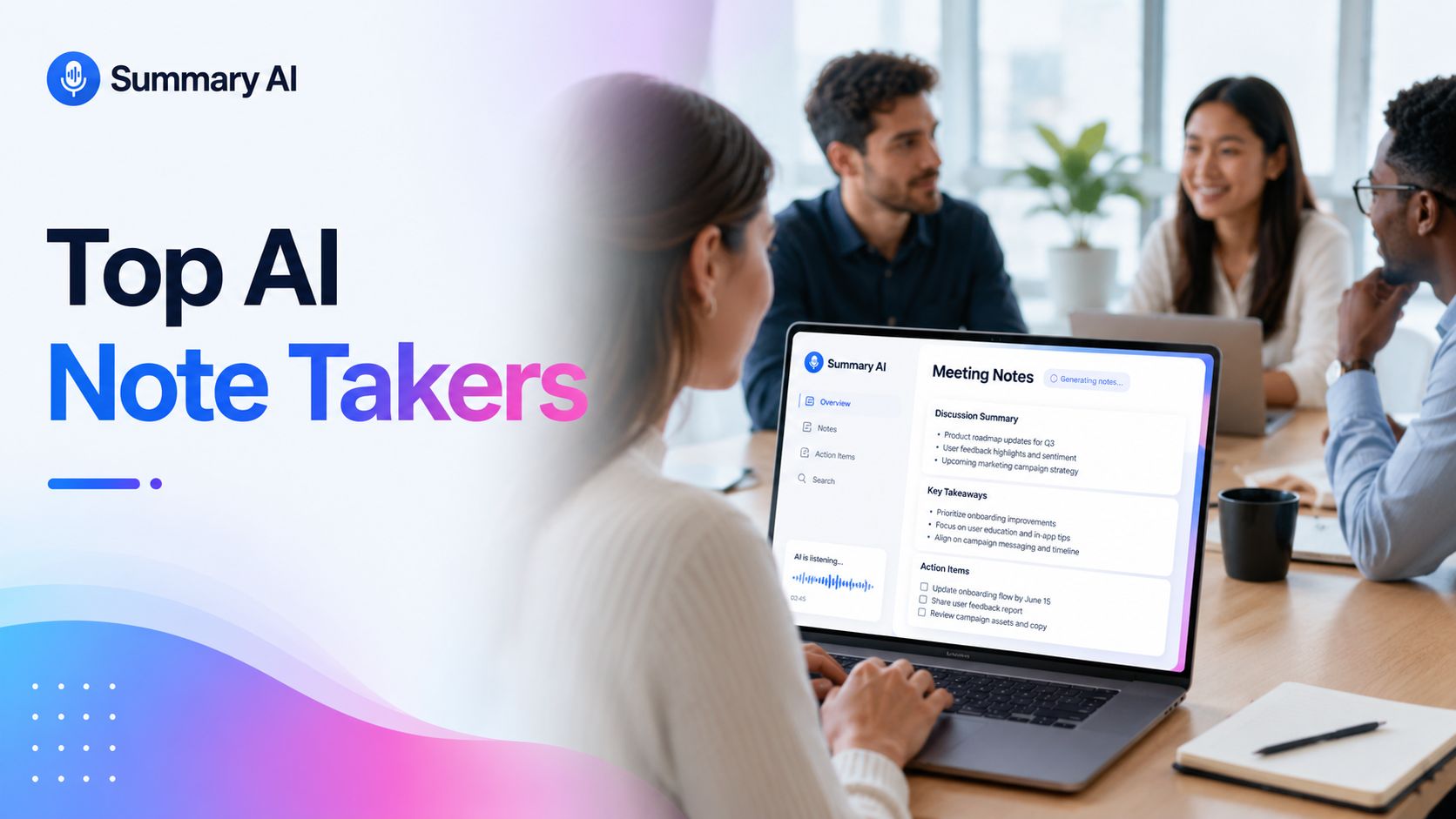


Taking notes during meetings takes time, and doing them manually can be really distracting. An AI note taker does it for you. It records the conversation, turns it into text, and picks out the key points so you always know what you discussed and what to follow up on without needing to take notes yourself.
But not every AI note taker is worth using. Some free plans are too limited. Others make you pay just when you think you are about to get your summary. And some work well for a certain platform but aren’t as good for others.
Our guide looks at six AI note takers that are each suitable for one thing or another. Some of them are best for online meetings while others are better for live transcripts. One of these tools even records in-person conversations with a small device.
Without further ado, lets get to comparing the top AI note takers available today.
What Is an AI Note Taker?
An AI note taker records conversations and turns them into notes you can make use of in myriad ways. Instead of writing everything down yourself, it captures what was said during the conversation and organizes it for you so it is easy to review.

Most AI note takers can:
- Record calls
- Create a transcript
- Make a summary of the conversation
- Identify key points
- Highlight action items
- Help you find info in past meetings
How the tools works depends on the tool itself. For example, some record Zoom meetings, Google Meet, or Microsoft Teams calls automatically. Others are on your phone as an app or on your computer, so you can use them to record wherever you are. If you’re meeting in person, tools like Plaud Note use a small physical recording device to capture your convo instead of a meeting bot.
How Do AI Note Takers Work?
Most AI note takers work in three simple steps.
First, they record the conversation. Next, they turn the speech into text. Finally, they use AI to create a summary, highlight key points, and list any follow-up tasks.
Even so, the results aren’t always perfect. A few technical issues and other factors can all affect the transcript, chief among them: background noise, people talking over each other, or strong accents.
That’s why it’s safest to use AI notes as a first draft and before you share them, check all the important details like names, dates, prices, deadlines, and client info to make sure it is correct.
How We Picked These Tools

We did not only look for tools that can join Zoom calls. We picked tools that work for different kinds of scenarios.
We looked at:
- Live meeting recording capabilities
- Quality of transcripts and AI summaries
- How easy it is to search and share transcripts
- In-person recording abilities
- Free and paid plans
- User feedback
- How easy each tool is to set up
The Best AI Note Takers
Not every AI note taker is built for the same job. Some are made for online meetings, while others work better for interviews, lectures, or in-person conversations. Here are six of the best AI note takers and what each one does best.
1. Summary AI: Best AI Note Taker for Online Meetings and Video Calls
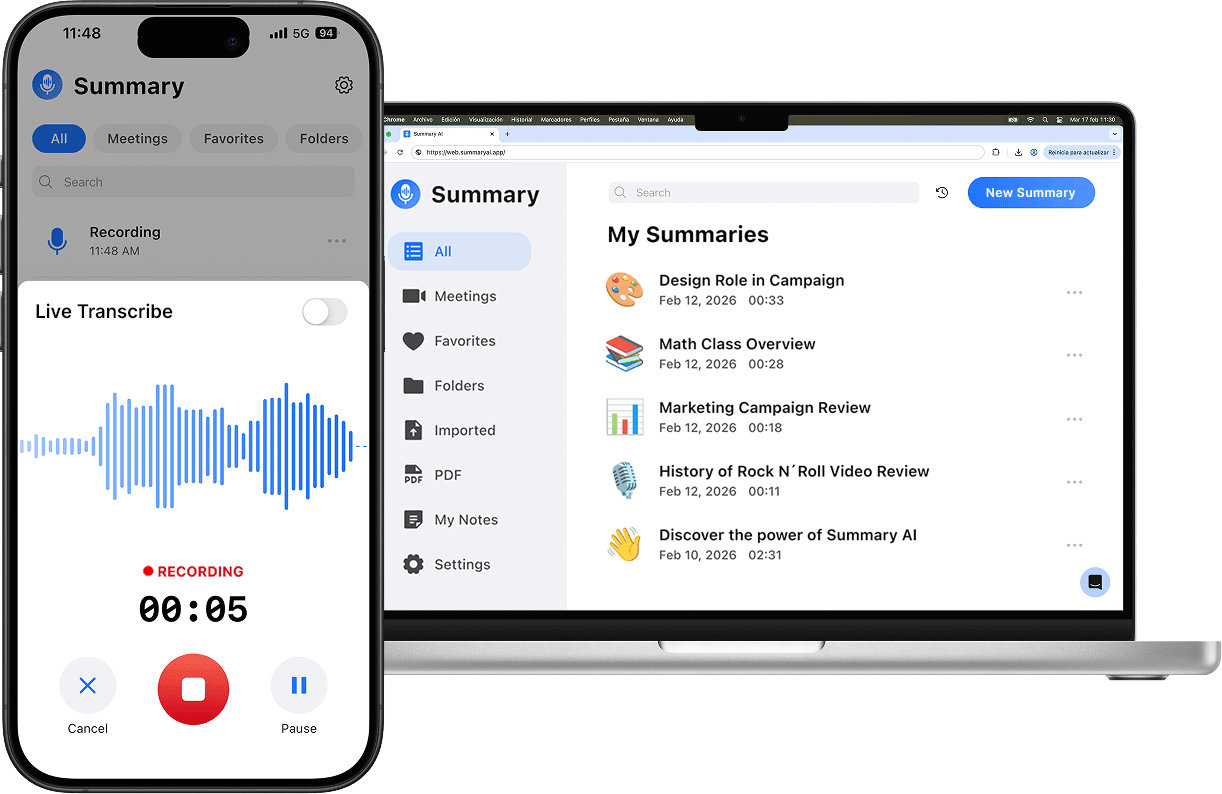
Summary AI is a great tool for taking notes with AI if you spend a lot of time each week in online meetings. Instead of taking notes yourself, you connect via the Zoom Meet Recorder, jump into a Teams recording, or link your Google or Outlook Calendar and choose which meetings the Summary AI should join.
After each call, the tool creates a transcript for you and turns it into the perfect summary that you can then share with your team if you want to.
With Summary AI, you can stay focused on the conversation during the meeting instead of hurrying to write everything down. It’s also really helpful if anyone on your team happens to miss a meeting and needs a quick recap.
Best for: Remote teams, client meetings, project discussions, sales calls, and anyone with a busy meeting schedule.
How Does Summary AI Work?
Getting started is straightforward. First, connect your Google or Outlook Calendar. Then, choose the meetings you want to allow Summary AI to join.
After the meeting ends, it records the conversation, creates a transcript, and generates a summary with the main points. From there, you can copy the notes or email them to everyone who attended.
Besides online meetings, Summary AI can also record, transcribe, and summarize all sorts of recordings.
What users say about Summary AI:
“I’m thoroughly impressed with the Summary AI app. I recorded a conversation with my mentor in our native Filipino dialect, and to my surprise, the app accurately captured everything. Even more impressive – it synthesised our entire conversation and generated a clear summary categorised by main topics and subtopics.This app has exceeded my expectations and will be incredibly useful not just for personal reflections but also in a professional context. I’m truly pleased to have downloaded it. A solid 5 out 5 stars – highly recommended for everyone!”
Redskee1422 · App Store · 4.6 Stars ★★★★★ (2.7K Reviews) · 19/06/2025
“This app is everything I needed for my studies. I’m not good with video learning only, but guess what? I’m enrolled in a lot of online courses and this app is a game-changer. I’ll be able to watch the videos while the app listens and creates the summaries/transcripts for me so I can read it later. I’m still on the trial and just fear that I won’t have the funds to pay for the subscription which is a bit dear for me. But totally worth it! The best app I’ve came across in a long time.”
Necapin · App Store · 4.6 Stars ★★★★★ (2.7K Reviews) · 10/02/2025
Pick Summary AI if you want an AI agent to join online meetings and give you usable notes after the call.
2. Otter.ai: Best for Live Transcripts
Otter.ai is a great choice if you want to see a transcript during the conversation. You can follow along in real time, search past meetings, or quickly find a specific detail without replaying the whole recording.
Its live transcription is one of its biggest strengths. However, like most AI tools, it’s not perfect. A few factors can affect the accuracy like background noise, overlapping conversations, and unclear speech, so you may need to make a few edits afterward.
Best for: Meetings, interviews, lectures, and team calls where live transcription is important.
How Does Otter.ai Work?
Otter records the conversation and creates a live transcript while people are speaking. After the meeting, it generates a summary, highlights action items, and saves everything so you can search your past conversations later.
What users say about Otter AI:
“I like Otter.ai’s accurate real-time transcription and automated meeting summaries. It helps me capture key points, decisions, and action items without taking extensive notes, making meetings more focused, organized, and productive. The transcription accuracy can decrease when speakers have different accents, speak quickly, or talk over one another. It may also misinterpret technical or specialized terminology, requiring manual review and correction.”
Haleama A. · G2 · 4.4 Stars ★★★★ (502 Reviews) · 25/07/2026
Pick Otter.ai if live transcripts are your main need. It can save you time during meetings, but you should still check the notes before you use them as a final record.
3. Fireflies.ai: Best for Searching Old AI Notes
Fireflies.ai is for people who have too many meetings and cannot remember what happened in all of them. It records calls, makes transcripts, and gives teams a place to search past conversations.
It can be a good fit for sales teams, recruiters, customer success teams, and managers. If you need to find a customer promise from three weeks ago, Fireflies can save you from digging through old recordings.
Best for: Sales calls, customer meetings, hiring interviews, and teams that need a searchable call library.
How Does Fireflies.ai Work
You can link Fireflies.ai to your calendar or invite it to a call. It records the meeting when you allow it to, it creates a transcript, and then makes a summary. Afterward, you can look up past calls and share notes with the team.
What users say about Fireflies AI:
“What I like most about Fireflies.ai is that it automatically records, transcribes, and summarizes meetings, which ends up saving me a lot of time. The UI feels clean and easy to navigate, the summaries are surprisingly accurate, and it integrates smoothly with tools like Zoom and Google Meet. One drawback of Fireflies.ai is that the transcription isn’t always completely accurate, particularly when there are strong accents or background noise in the audio. In addition, some of the more advanced features are restricted to higher pricing tiers, which can become costly over time.”
Rafael A. · G2 · 4.7 Stars ★★★★ (751 Reviews) · 4/23/2026
Pick Fireflies.ai if your team needs to search and share lots of meeting notes.
4. Fathom: AI Note Taker for Quick Meeting Recaps
Fathom is a good choice if you want a quick summary after an online meeting. It records the call, creates a transcript, and highlights the most important moments, so you don’t have to watch the entire recording again.
Because of its simple workflow, it’s especially useful for client meetings, sales calls, interviews, and team discussions where you need fast follow-up notes.
Best for: Solo users and small teams that want quick summaries and meeting highlights.
How Does Fathom Work?
Once you connect it to the meeting platforms you use, Fathom can join your calls and record the conversation. After the meeting, it creates a transcript and generates a summary with the key takeaways.
You can also highlight important moments during the meeting, making them easy to find later.
What users say about Fathom:
“I love the precision for the transcription, and the summary. The fact that when you click a part of the summary it takes you to that exact part of the recording. I love not to take notes any more and have the mind at ease that Im not missing anything. I love the next steps and follow up. The Questions feature is great for us to compare with other calls and create more structured scripts with answers that we see are getting better reactions for customers. Also useful for “most common questions” and to help properly identify the pain points on a CX. I do not use the “ask Fathom” tool. As I find its better to integrate the whole call, with more context, like the CRM and email. therefore I ask Claude to analyze the call transcript with all other context. The integration with Claude is very usefull.”
Soledad T. · G2 · 5 Stars ★★★★★ (6962 Reviews) · 22/07/2026
Pick Fathom if you want quick, clean notes from online calls.
5. Plaud Note: Best AI Note Taker for In-Person Meetings
Plaud Note is a bit different from most of the other AI note takers on this list. Instead of joining online meetings, it uses a small recording device to capture conversations in the real-world. You can use it for in-person interviews, lectures, phone calls, and face-to-face conversations.
That is what makes it stand out. If your work takes you outside, away from Zoom or Google Meet, a small device for recording can be necessary.
Best for: Consultants, reporters, students, sales teams, and anyone who records in-person conversations.
How Does Plaud Note Work?
Plaud Note records conversations with a small device. Afterward, you sync the audio with the Plaud app.
The app then turns the recording into text and creates a summary of the conversation. It can help you review important points without listening to the full recording again.
What users say about Plaud:
“Perfect for helping me stay organized, quick way to document meetings, easy to use, helpful feedback. This has been a total game changer in referring back to important conversations so I don’t miss any of the big or little details! I’m frequently involved in a variety of issues on a daily basis and now I’m confident at the end of the day it’s all been summarized and retained.”
Kara · Trustpilot · 4.7 Stars ★★★★★ (2262 Reviews) · 06/13/2026
Pick Plaud Note if you need an AI recorder for taking notes during in-person conversations.
6. Krisp AI Note Taker: Best for Noisy Calls
Krisp is a good choice when poor audio is the main problem. Unlike many AI note takers that only handle the recording, Krisp also helps clean up background noise and echo before creating notes.
This can be useful if you take calls from busy places like home offices, shared workspaces, or coffee shops. Clearer audio means the AI has a better chance of capturing the right information.
Best for: Remote workers, global teams, sales teams, and anyone who takes calls in noisy environments.
How Does Krisp Work?
Krisp runs on your computer and works with many meeting apps. It removes background noise and echo, then helps create transcripts and AI meeting notes.
Because it works directly on your device, it can be used with tools like Zoom, Google Meet, Microsoft Teams, and Slack Huddles without adding a meeting bot.
What users say about Krisp:
“The product works amazing BUT it uses a massive amount of memory on a mac, even when not in use. When checking my activity monitor, it almost always is using more memory than any other app …again, when not even in use. Right now it’s using 1.4 gigs of memory, and it’s just on standby. They need to fix this issue or I will need to explore other alternatives.”
Paul Pedersen · Trustpilot · 3.2 Stars ★★★ (409 Reviews) · 06/22/2026
Pick Krisp if poor audio keeps ruining your meeting notes. It is not the cheapest option for basic transcription, but it can be worth it.

How to Choose an AI Note Taker
The best AI note taking tool depends on what you need. Choose one with live transcripts if you want to follow along during meetings, strong search if you need to find old conversations, or a mobile app or recorder for in-person talks.
Before you pick a tool, check its limits, storage, summaries, privacy settings, and app support. For online meetings, Summary AI is a good option because it can join calls, record conversations, create transcripts, and make summaries while you stay focused. Try Summary AI today!

