

Zoom works well for plenty of people. You send a link, join the call, share your screen, and get on with the meeting.
But it may not be the best fit for every team. Maybe the free plan cuts your calls short. Maybe you already pay for Google Workspace or Microsoft 365 and want to use the meeting tools included with your subscription.
Or perhaps you just want an easier way for clients to join.
The right Zoom alternative depends on what you want to improve. Google Meet and Microsoft Teams fit into tools many companies already use. Zoho Meeting focuses on lower costs. Whereby keeps client calls simple, while Jitsi Meet offers an open-source option.
Here are eight choices, how they compare, and what to check before moving your meetings.
Zoom alternatives compared
| Tool | Best for | Free meeting limit | Starting paid price |
|---|---|---|---|
| Google Meet | Google Workspace users | 100 people; 60 minutes for groups | $7/user/month, billed yearly |
| Microsoft Teams | Microsoft 365 users | 100 people; 60 minutes | $4/user/month, billed yearly |
| Cisco Webex | Larger organizations | 100 people; 40 minutes | $12/user/month, billed yearly |
| RingCentral Video | Meetings and business phone service | 100 people; 50 minutes | Around $20/user/month, billed yearly for RingEX Core |
| Zoho Meeting | Lower-cost business meetings | 100 people; 60 minutes | From $1/host/month, billed yearly |
| Whereby | Simple client calls | Four people; 30 minutes | $10.99/month |
| Jitsi Meet | Open-source meetings | Depends on the service or server | Free software; hosting may cost extra |
| Brave Talk | Small groups focused on privacy | Four people; no time limit | $7/month |
Before choosing, think about whether you need a new video app at all. If your main problem is taking notes, a separate meeting assistant may be enough. Our guide to the best AI meeting assistants explains those options.
Why look for a Zoom alternative?
Zoom now includes much more than video calls. Zoom Workplace brings together meetings, chat, calendars, whiteboards, notes, scheduling, and AI features. Other services cover webinars and business phone calls.
That can be useful, but you may not need the whole package.
The free Basic plan supports up to 100 people, with a 40-minute limit on group meetings. That limit can get frustrating when a client call or training session runs long.
Pro costs about $14.16 per user per month with yearly billing. It allows meetings up to 30 hours and includes 10 GB of cloud recording storage and AI note-taking.
Business costs about $18.33 per user per month with yearly billing and raises the participant limit to 300.
You might find better value elsewhere if you already pay for another work platform. You may also prefer simpler guest access, different privacy controls, or a service that combines video meetings and business phone calls.
What should you look for?
Start with meeting length and group size. A free plan that works for a quick team check-in may not cover a two-hour workshop.
Then check how guests join. Do they need an app, an account, or help getting through the settings? Test this with someone outside your company.
Look at recording, too. Some plans include it, while others charge more. Also check whether you get a transcript, a summary, or just a video file.
Your meeting app is only one of your team’s productivity tools. Think about how it fits with your calendar, shared files, messages, and tasks.
Finally, compare the total cost. A cheaper video plan may not save much if you need separate tools to replace phone service, webinars, or other features you already use.
1. Google Meet: Best for Google Workspace users
Google Meet is an easy option if your team already uses Gmail, Google Calendar, and Google Drive.

You can add meeting links directly to calendar invitations, and guests can usually join through a browser.
Free Google accounts support up to 100 people. One-to-one calls can last up to 24 hours, while calls with three or more people have a 60-minute limit.
With yearly billing, Google Workspace Business Starter costs $7 per user per month and supports 100 people. Business Standard costs $14, raises that to 150 people, and adds recording, noise cancellation, and wider Gemini AI access.
Business Plus costs $22 per user per month and supports up to 500 participants.
Meet is convenient if Google already handles your daily work. Just check the plan carefully if recording matters, since the lowest business tier does not include every meeting feature.
2. Microsoft Teams: Best for Microsoft 365 users
Microsoft Teams makes sense if meetings are closely tied to your team’s messages, files, and tasks.

Along with video calls, you get chat, channels, file sharing, polls, and connections with Microsoft 365. A project discussion can continue in the same place after the call ends.
Teams Free supports up to 100 people for 60-minute group meetings.
Teams Essentials costs $4 per user per month with yearly billing. It supports meetings up to 30 hours, up to 300 people, and 10 GB of storage per user.
Microsoft 365 Business Basic costs $7 per user per month with yearly billing and adds business email, 1 TB of storage, and web and mobile Office apps. Business Standard costs $14 and adds desktop Office apps.
Teams may feel busy if you only need occasional video calls. It is easier to justify when your company already relies on Microsoft tools.
3. Cisco Webex: Best for larger organizations
Webex is worth considering if your company needs more than a basic meeting link.
It combines video meetings with features for business communication, security, and administration. That may appeal to larger organizations or teams already using Cisco products.
The free plan supports up to 100 people for 40 minutes. It includes screen sharing, messaging, whiteboards, local recording, calendar connections, and noise cancellation.
Webex Meet costs $12 per user per month with yearly billing. It allows meetings up to 24 hours, supports 200 people, and includes AI Assistant and 10 GB of cloud recording storage.
Webex Suite costs $22.50 per user per month with yearly billing and adds business calling.
The main question is how much of that you need. For a small team making simple calls, Webex may be more than necessary. For a larger business, the wider set of tools may be useful.
4. RingCentral Video: Best for meetings and business phone calls
RingCentral is a practical option if you want video meetings and business phone service from the same provider.
Its RingEX platform brings together phone calls, video, messaging, and other communication tools.
The free video option supports up to 100 people for 50 minutes. Paid users can hold meetings up to 24 hours with up to 300 participants.
Recorded meetings can also include AI-generated transcripts, summaries, and notes.
With yearly billing, RingEX Core starts at around $20 per user per month. Advanced is around $25, while Ultra is around $35.
Those prices make more sense when you need the phone features as well. If you only want a place to hold video calls, another option may cost less.
If you currently pay separately for Zoom and a business phone system, though, combining them may make your setup easier to manage.
5. Zoho Meeting: Best for keeping costs down
Zoho Meeting is worth a look if you want basic business meetings without a large monthly bill. The free plan supports up to 100 people for 60 minutes. It includes screen sharing, chat, whiteboards, calendar tools, and controls for the person running the meeting.
Paid Meeting Standard plans start as low as $1 per host per month with yearly billing at smaller participant levels. Check the price for the group size you actually need.
Standard allows meetings up to 24 hours and adds recording, polls, co-hosts, integrations, and a personal meeting room.
Professional adds features such as breakout rooms, analytics, and recording transcripts.
Zoho Meeting can be especially convenient if you already use Zoho CRM or other Zoho apps. For a small business, the main attraction is getting useful meeting features at a lower starting price.
6. Whereby: Best for simple client calls
Whereby focuses on making it easy to get into a meeting.
Guests can usually open a link in their browser without creating an account. That is handy when you meet clients who do not want to install another app.
The free plan gives you one meeting room for up to four people, with a 30-minute limit.
Pro costs $10.99 per month. It supports up to 100 people, three meeting rooms, unlimited meeting time, recording, and custom branding.
Business costs $13.99 per host per month, requires at least three hosts, and supports up to 200 people.
A permanent room link is another useful feature. A coach, consultant, or recruiter can send the same meeting address each time.
Whereby has fewer workplace tools than Zoom or Teams. If you mainly want straightforward client calls, that simpler setup may suit you.
7. Jitsi Meet: Best open-source option
Jitsi Meet is worth considering if you want more control over the software behind your meetings.
It is open source, which means its source code is publicly available. You can use a public Jitsi service or run the software on your own servers.
Jitsi includes video calls, screen sharing, chat, and custom meeting links. Account requirements and meeting limits depend on the service or setup you use.
Running your own server gives a technical team more control, but someone has to set it up and keep it working. Free software does not necessarily mean there are no hosting or maintenance costs.
Jitsi also does not come with the same complete package of AI tools, webinars, business phone service, and administration features as some paid platforms.
It is a better fit for teams that value open-source software and have the technical help to manage their setup.
8. Brave Talk: Best for small groups focused on privacy
Brave Talk is a browser-based meeting tool built around Brave’s approach to privacy.
The free plan supports up to four people with no time limit. Guests can join through a link without needing a Brave account.
That makes it worth considering for small groups that want longer calls without paying just to get past a time limit.
Premium costs $7 per month or $69.99 per year. It supports larger meetings with hundreds of people and adds recording and more host controls. Premium transcripts can also work with Brave’s Leo AI to create summaries and find topics, decisions, and follow-up tasks.
The main free-plan limit is group size. Four people may be enough for a small catch-up, but it will not cover most team meetings. Before choosing it for work, check that its privacy settings and features meet your company’s needs.
Do you need a new video app or better meeting notes?
Sometimes the call itself works fine. The frustrating part comes afterward, when you have to remember the decisions and write everything up.
If that sounds familiar, you may be able to keep Zoom.
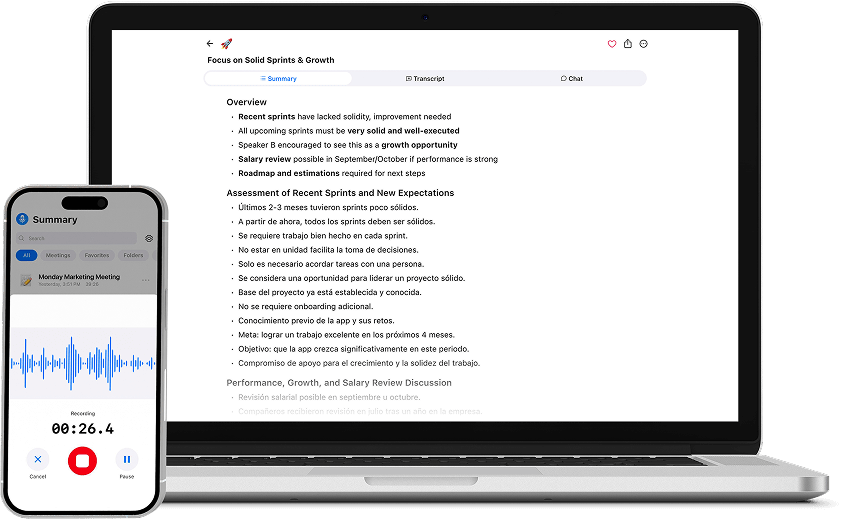
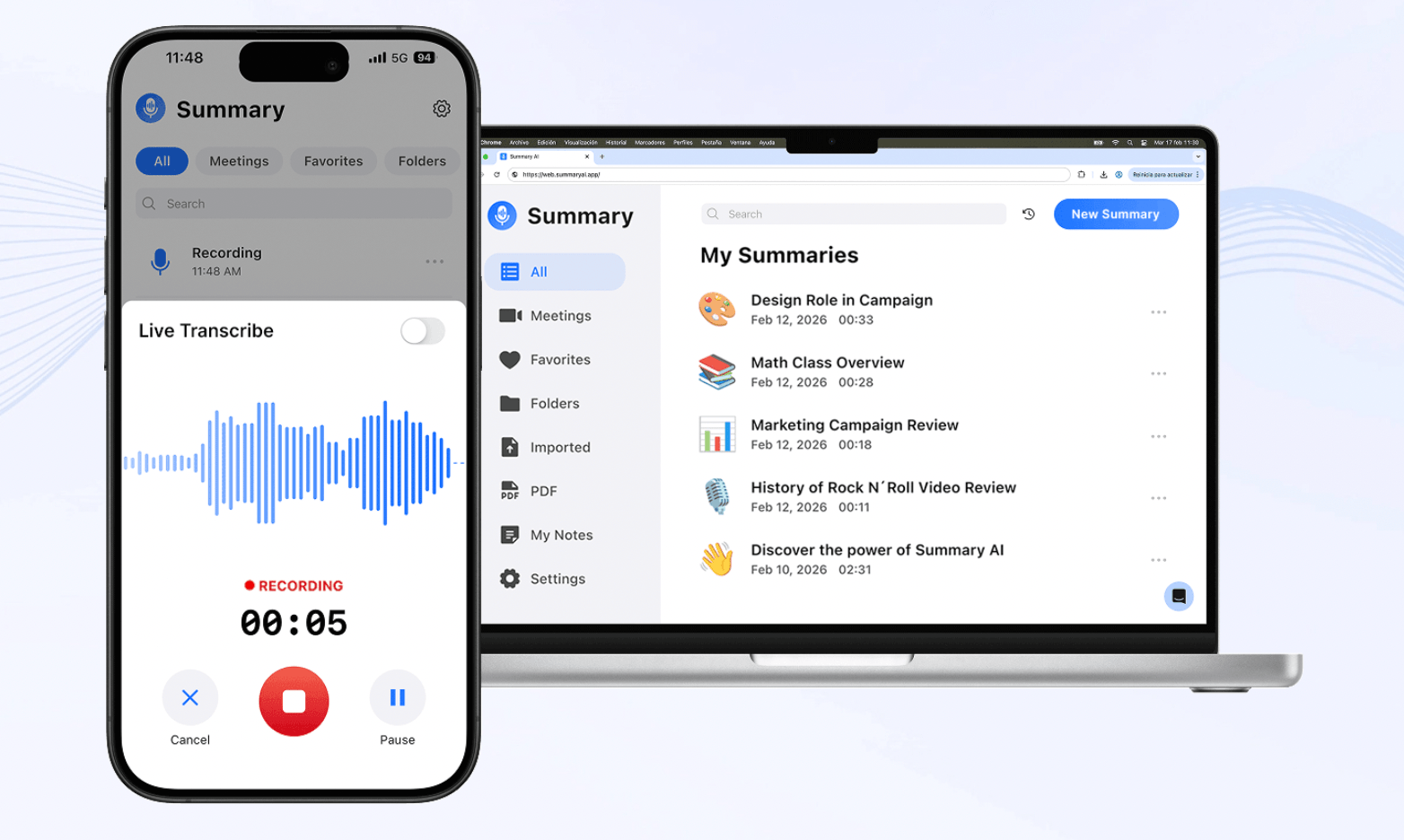
Summary AI works with supported Zoom, Google Meet, and Microsoft Teams calls. Its Meeting Assistant can join meetings and create transcripts, summaries, speaker-labeled notes, decisions, and follow-up tasks.
That gives you a written record to review after the call. For more ideas on organizing that information, see our guide to taking effective meeting notes.
Summary AI also supports more than 120 languages and live translation. Our guide to how AI translation works explains what that can help with.
It costs $8.99 per week or $79.99 per year. Paid plans include unlimited audio transcription and recordings of any length. Your video platform’s own meeting limits still apply. Use Summary AI with Zoom, Google Meet, or Teams.

How to switch from Zoom
Start with one real meeting instead of moving the whole team at once. Check the microphone, camera, screen sharing, guest access, and recording. Try the new platform with someone outside your company, too.
Before canceling or downgrading Zoom, keep copies of any recordings you need. Our guide to recording a Zoom meeting also explains how to find and manage recordings.
Make a list of everything you use beyond meetings, including webinars, chat, phone service, and meeting-room equipment. Check what the replacement actually covers.
Once the test works, update recurring invitations and let people know where future calls will happen. If you are moving to Teams or another broader platform, give everyone time to learn it.
Which Zoom alternative should you choose?
Start with the tools you already pay for. Google Meet is convenient for Google Workspace users, while Teams makes sense for Microsoft 365 users. Webex suits larger organizations. RingCentral is worth considering when business phone service is part of the decision. Zoho Meeting focuses on lower costs, and Whereby keeps client calls simple.
Jitsi Meet gives technical teams an open-source option. Brave Talk is worth a look for smaller groups focused on privacy. If Zoom already handles your calls well, you can also keep it and use Summary AI for meeting notes.