

PLAUD AI helps you record conversations and turn them into written notes. You get a physical recorder, plus AI tools that write out what people said and pull together the main points.
That can be useful. But buying, charging, and carrying another device may feel unnecessary when you already have a phone and laptop.
If most of your meetings happen on Zoom, Google Meet, or Microsoft Teams, an app might be all you need. Some tools can join meetings automatically, write notes, and list the things you need to do afterward.
Others solve a different problem. Fieldy 3 gives you a wearable recorder. Fireflies connects meeting notes with business software. Krisp helps clean up background noise during calls.
The right choice depends on how you work. Here are eight PLAUD AI alternatives, what each one does well, and what to check before switching.
PLAUD AI alternatives at a glance
| Tool | Best for | Separate recorder needed? | Free option | Starting paid price |
|---|---|---|---|---|
| Summary AI | Meeting notes and live translation | No | Short trial | $79.99/year |
| Fieldy 3 | Wearable recording | Yes | 150 minutes/month after buying the device | Device: $129 promotional price |
| Otter.ai | Shared meeting transcripts | No | 300 minutes/month | $8.33/user/month, billed yearly |
| Fireflies.ai | Connecting notes with business tools | No | Free plan | $10/user/month, billed yearly |
| Fathom | Free online meeting notes | No | Unlimited recordings and transcripts | $16/user/month, billed yearly |
| Granola | Notes without a meeting bot | No | Free plan | $14/user/month |
| Notta | Meetings and uploaded recordings | No | 120 minutes/month | $8.17/month, billed yearly |
| Krisp | Noisy calls | No | Seven-day trial | $8/user/month, billed yearly |
For an option that works without extra hardware, Summary AI is our top pick. If you want something you can wear, Fieldy 3 is the closest match on this list.
Why look for a PLAUD AI alternative?
PLAUD’s main selling point is its recorder. Its US lineup includes Plaud Note at $159, Note Pro at $189, NotePin at $159, and NotePin S at $179.
After buying a device, you get 300 transcription minutes each month on the Starter plan. Transcription simply means turning spoken words into written text.
If you need more, Pro costs $17.99 per month or $99.99 per year. Unlimited costs $29.99 per month or $239.99 per year.
Those costs may be worth it if you often record interviews, face-to-face conversations, or phone calls. Plaud Note and Note Pro have hardware built for recording calls.
But if you mainly need notes from online meetings, software may be easier. You can skip the device purchase and choose features that fit your day, such as shared notes, automatic recording, or translation.
For more options, see our guide to the best AI meeting assistants.
What should you look for?
Start with where your conversations happen. For online meetings, an app that connects with your calendar can save you a few steps. For interviews, classes, or client visits, a wearable recorder might be more convenient.
Next, think about phone calls. Most apps on this list do not replace PLAUD’s dedicated call-recording hardware. If that is your main reason for using PLAUD, test any replacement before making the switch.
Languages matter, too. Check that the tool supports the languages you actually use. Also check whether it only writes down the original language or can translate while people speak.
For team use, look at where the notes go afterward. Can you share them easily? Can they move into your customer records or project tools? These connections are usually called integrations.
Finally, read the plan limits. A free plan might offer plenty of monthly minutes but only allow very short recordings. A low monthly price may also require paying for a full year upfront.
1. Summary AI: Best for meeting notes without extra hardware
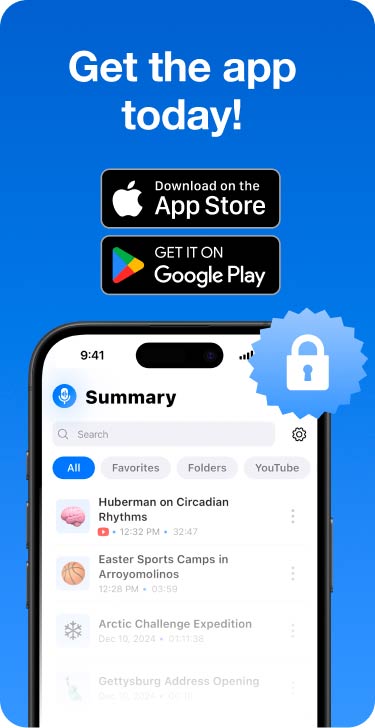
Summary AI is a good fit if you want PLAUD-style notes using the devices you already own.
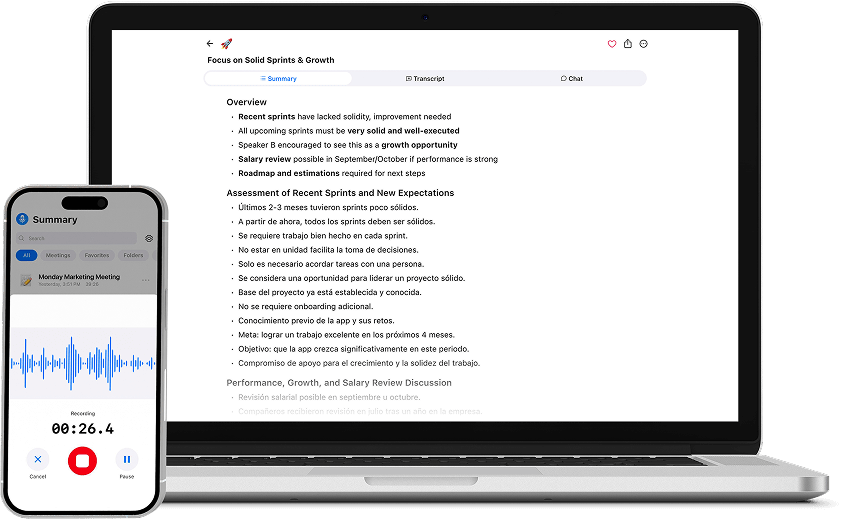
Its Meeting Assistant can automatically join supported Zoom, Google Meet, and Microsoft Teams calls. Afterward, you get a transcript showing who said what, a summary, key decisions, and a list of follow-up tasks.
Say a meeting covers deadlines, customer feedback, and next steps. Instead of reading every word again, you can review the main points or use AI Chat to ask questions about the conversation.
Summary AI also supports more than 120 languages and includes live translation. That is useful when colleagues or customers speak different languages.
You can upload audio and video files, too. Paid plans include unlimited audio transcription and recordings of any length.
The main limit is hardware: you do not get a wearable recorder or PLAUD’s dedicated phone-call device.
Price: $8.99 per week or $79.99 per year.
Record and get accurate transcripts
- Take unlimited notes directly from your phone.
- Perfect & detailed summaries made with AI.
- Secure cloud storage — GDPR, ISO & CCPA compliant.
2. Fieldy 3: Best if you want a wearable recorder
If you like having a physical recorder, Fieldy 3 is worth a look. You can wear it as a pendant or watch, so you do not need to keep a laptop open during conversations.
It turns conversations into transcripts, summaries, reminders, and tasks. It supports more than 100 languages, and its typical battery life is up to seven days. There is also a desktop app for online meetings.
The device includes 150 transcription minutes each month. For heavier use, an Unlimited membership costs extra.
Fieldy says it does not keep audio recordings after processing them. Keep that in mind if being able to replay the original recording matters to you.
Fieldy is a close alternative for wearable recording, though PLAUD offers more device choices and dedicated phone-call recording on Note and Note Pro.
Price: $129 promotional device price, compared with a $179 reference price. Unlimited costs $15.99 per month with yearly billing or $19.99 month to month.
3. Otter.ai: Best for working from shared transcripts
Otter.ai makes sense when several people need to use the same meeting notes.
It can automatically join Zoom, Microsoft Teams, and Google Meet. You get live transcripts, speaker labels, AI summaries, and AI Chat. Your team can use the transcript during the meeting and return to it afterward.
For example, if someone misses part of a discussion, they can check the written record instead of asking everyone to repeat it.
The free Basic plan includes 300 transcription minutes each month. The catch is that each conversation can only last 30 minutes. It also includes just three file imports over the lifetime of the account.
Pro raises the monthly allowance to 1,200 minutes.
Otter is a useful choice for teams that work online and share notes. If you mainly record conversations away from a computer, PLAUD’s physical recorder may suit you better.
Price: Pro starts at $8.33 per user per month with yearly billing. Business starts at $19.99.
4. Fireflies.ai: Best for connecting notes with business tools
Fireflies.ai is worth considering when meeting notes need to end up somewhere beyond a transcript.
It connects with CRM software, which is where teams keep customer and sales information. That can help sales and customer support teams keep meeting details alongside customer records.
Fireflies works with Zoom, Google Meet, Microsoft Teams, uploaded files, mobile apps, and desktop tools. It supports more than 100 languages. Its AskFred feature lets you ask questions about meetings.
You can also record without a meeting bot through its Chrome extension and desktop app. A meeting bot is an assistant that appears in the participant list.
Pro includes unlimited integrations. Business adds tools for reviewing conversations and tracking team activity.
Fireflies is a strong choice if moving notes between apps is a regular chore. Its main advantage over PLAUD is how it connects with your other software.
Price: A free plan is available. With yearly billing, Pro costs $10 per user per month, Business costs $19, and Enterprise costs $39.
5. Fathom: Best free option for online meetings
Fathom is a good starting point if you want online meeting notes without another bill.
Its free plan includes unlimited recordings and transcripts, plus AI summaries, clips, playlists, and meeting search. That covers many everyday needs, especially if you mainly want to find out what was discussed and revisit key moments.
Fathom also has an option to record without a meeting bot, currently in beta on Mac. Beta means the feature is still being tested.
Paid plans add features for individuals and teams. Business includes tools such as syncing information with CRM fields, coaching metrics, and AI scorecards.
Fathom is most useful for people whose meetings happen online. It is less focused on wearable recording, phone calls, and conversations away from a computer.
Price: Premium costs $16 per user per month with yearly billing. Team costs $15 with a two-user minimum, while Business costs $25.
6. Granola: Best if you like taking a few notes yourself
Granola works well if you want help with notes but still like writing down a few things yourself.
It runs on your device and captures meeting audio without joining the call as another participant. You can type short notes, and Granola uses the transcript to fill in details you missed.
For example, you might jot down a deadline and a customer’s main concern. Granola can then help turn those short notes into a fuller meeting record.
The free Basic plan includes AI meeting notes, AI Chat, shared folders, and custom templates, but meeting history is limited.
Business adds full meeting history and more connections with other apps. Granola also says it discards raw meeting audio after transcription.
It is a simple option if you want software notes without a visible meeting bot. It does not replace PLAUD’s physical recorder or phone-call hardware.
Price: Business costs $14 per user per month. Enterprise costs $35.
7. Notta: Best for meetings and uploaded recordings
Notta is useful if your recordings come from several places. You might have online meetings one day, an in-person interview the next, and an audio file someone sends you later.
It works with Zoom, Google Meet, Microsoft Teams, Webex, and uploaded files. It also offers speaker identification and translation features.
The free plan includes 120 transcription minutes each month, 50 file uploads, and 10 AI summaries. However, each conversation is limited to three minutes. That makes the free plan restrictive for normal meetings.
Pro includes 1,800 monthly minutes, recordings up to five hours long, 100 file uploads, and 100 AI summaries.
Business adds unlimited transcription, meeting video capture, and connections with CRM software and Zapier, a service that links apps together.
Notta is a practical option if you need flexible transcription and do not want a separate recorder.
Price: With yearly billing, Pro costs $8.17 per month and Business costs $16.67 per user per month.
8. Krisp: Best for calls with background noise
Krisp is worth a look if your meeting problem starts with the audio itself.
Maybe you work near a busy street, share an office, or have a noisy home. Krisp includes noise cancellation to help reduce background sound during calls.
Its AI Meeting Assistant also provides transcripts, notes, summaries, follow-up tasks, and AI Chat. It supports in-person recording and mobile use, too.
The Core plan includes unlimited transcription, noise cancellation, recording without a meeting bot, audio and video capture, integrations, and 10 GB of storage.
There is a seven-day trial, but no permanent free plan.
Krisp can be a good alternative when you want cleaner calls and written notes in the same tool. You will still need another option if a wearable recorder is essential.
Price: With yearly billing, Core costs $8 per user per month and Advanced costs $15.
How to switch from PLAUD AI
Start with one real conversation. Choose a meeting that looks like the ones you usually have, then check how the replacement handles it.
Can you understand the transcript? Are the speakers labeled correctly? Does the summary capture the decisions and next steps?
Also test the setup. Connect your calendar if supported, choose your language, and check that recording starts as expected. If you record in person, try that separately from online meetings.
Keep your PLAUD device while you test any phone-call replacement. An app that handles Zoom meetings well may not cover your phone calls the same way.
Which alternative should you choose?
Choose based on the job you need done most often. Summary AI is our pick for automatic meeting notes and live translation without extra hardware. Fieldy 3 makes more sense if you want a wearable. Otter is useful for shared transcripts, while Fireflies fits teams that need notes connected with business tools.
Fathom is a strong free option. Granola suits people who like adding their own notes. Notta handles a mix of meetings and uploaded files. Krisp helps when background noise is a regular problem. If PLAUD’s recorder is already making your day easier, keeping it may still be the right choice.
Record and get accurate transcripts
- Take unlimited notes directly from your phone.
- Perfect & detailed summaries made with AI.
- Secure cloud storage — GDPR, ISO & CCPA compliant.
FAQs
1. What is a good PLAUD AI alternative without hardware?
Summary AI is an option for automatic meeting notes, transcripts, summaries, and live translation. It works through devices you already use. Otter, Fireflies, Fathom, Granola, Notta, and Krisp also work without buying a dedicated recorder.
2. Is there a free alternative to PLAUD AI?
Yes. Fathom offers unlimited recordings and transcripts on its free plan. Otter, Fireflies, Granola, and Notta also have free plans. Check recording length and monthly limits carefully, since those can make a big difference in everyday use.
3. Which alternative is best for wearable recording?
Fieldy 3 is the closest wearable option on this list. You can wear it as a pendant or watch, and it creates transcripts, summaries, reminders, and tasks. You need to buy the device, and the included plan gives you 150 transcription minutes per month.
4. Which alternative works well for international meetings?
Summary AI supports more than 120 languages and includes live translation. That makes it worth considering when people in the same meeting speak different languages. Before choosing any tool, check support for the specific languages your team uses.
5. Can an app replace PLAUD for phone calls?
It depends on how you record calls. Most tools here focus on meeting notes and transcription. They do not copy the dedicated phone-call hardware in Plaud Note and Note Pro. Keep your device until you have tested a replacement with the calls you actually make.